
VAPE FAQs
How To Reset Vape?
Aug
Resetting a vape device is something you rarely think about until a reliable companion suddenly flashes an unfamiliar sequence of lights, produces no output, or shuts down mid‑session. The frustration is immediate — and it almost always happens at the most inconvenient moment. Before you conclude the hardware has failed, there is a strong chance the unit has simply entered a protective lockout state or encountered a minor firmware hiccup. Understanding what a reset actually does, when it is appropriate, and where the boundaries lie between a correctable glitch and a genuine defect can save a great deal of time, expense, and unnecessary replacements.
At OZVAPE Shop, we believe that informed users make smarter, less reactive decisions. This article unpacks the reset mechanisms found across the broad spectrum of personal electronic devices — from sealed disposable units to advanced modular platforms — so you can diagnose the problem with confidence and act accordingly.
Why Vape Devices Sometimes Demand a Reset
Modern personal vaporisers are compact embedded systems. They run on low‑level firmware, continuously monitor circuit integrity, and enforce a set of safety thresholds that protect both the user and the internal lithium‑ion cell. When one of those thresholds is crossed — or when the microcontroller simply encounters a transient error — the device may lock its output and signal for attention. Resetting the device, when done correctly, clears the error register and returns the unit to normal operation.
The Role of Protective Circuits
Every responsibly designed device contains a protection IC that sits between the battery and the atomiser coil. Common trip conditions include:
Short‑circuit protection — triggered if coil resistance drops below a safe minimum.
Over‑time draw protection — stops output after a continuous activation of 8–12 seconds to prevent overheating.
Low‑voltage cut‑off — prevents deep discharge of the cell.
Over‑temperature lockout — shuts down if the internal board temperature exceeds a defined ceiling.
A reset does not bypass these protections; it acknowledges that the trigger event has passed and re‑enables normal function. Confusing a protective lockout for a dead device is one of the most common errors users make.
Firmware Glitches and State‑Machine Hang
Even basic devices without a display or menu system rely on a finite‑state machine to manage charging, activation, and status LED patterns. It is rare but possible for a transient voltage spike or an incomplete charging handshake to leave the microcontroller in an indeterminate state. A manual reset — usually a specific button‑press sequence or a power‑cycling procedure — forces the microcontroller to reload its default parameters, identical to a hardware reboot.
Understanding these two root causes helps you approach a misbehaving device analytically rather than emotionally.
Common Reset Procedures by Device Category
No single sequence works across all device types. The method depends almost entirely on the hardware architecture: whether the unit has a physical power button, whether the battery is removable, and whether the firmware supports a user‑initiated restart. The following categorisation aligns with the most widely distributed designs in the Australian market, including devices supplied through factory‑certified channels such as OZVAPE Shop.
Sealed Disposable Devices (No Buttons)
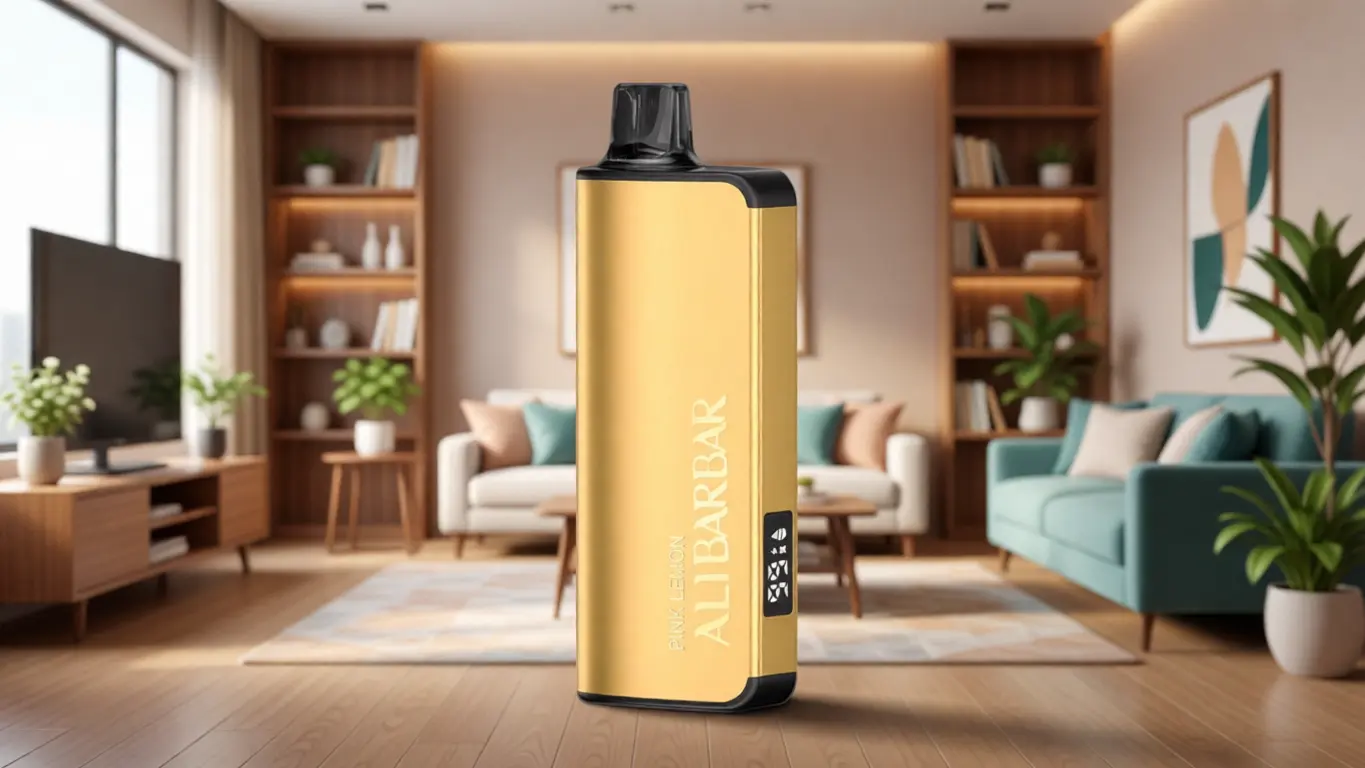
Draw‑activated disposables — including a number of the ALIBARBAR INGOT and Ice Adjust series — are built around an airflow sensor and a sealed housing. By design, they do not expose a reset interface to the user. When such a device fails to produce output:
Check the LED response during a draw. A weak flash or no light at all usually indicates a depleted internal cell. No amount of reset will revive it.
Inspect for e‑liquid ingress. A clogged airflow path can fool the sensor into remaining inactive. Gently tapping the mouthpiece against a paper towel, then blowing through the air inlet, can clear minor condensation.
Consider the ambient temperature. Lithium‑ion cells misbehave at extremes; if the device has been left in a hot car or direct sunlight, the protection IC may have locked the unit until temperatures normalise.
In these devices, what is often perceived as a “reset” is simply the automatic self‑recovery of the protection logic once the offending condition clears. Placing the device in a temperate environment for 30 minutes is frequently all that is required.
Rechargeable Pod‑Based Systems (with Button Interface)
Many refillable or pre‑filled pod systems feature a small multi‑function button, even if the primary activation is draw‑based. This button typically serves as a power toggle and a status indicator. The most common reset method involves five or three rapid clicks to toggle the device off and back on, effectively forcing a firmware re‑initialisation.
Typical procedure:
Click the button five times quickly (within 2 seconds). The LED should flash a confirmation pattern, then the device powers down.
Wait 10 seconds. This gives internal capacitors time to discharge, ensuring the microcontroller loses residual state.
Click five times again to power on. If available, a self‑check LED sequence will flash, after which the device should be operational.
If this fails, connecting the device to its intended charger for 15–30 seconds often provides enough current to wake a deeply discharged protection IC. Once a minimum voltage is achieved, the button sequence can be attempted again.
Advanced Box Mods and Replaceable‑Battery Platforms
More elaborate devices running on a dedicated chipset (DNA, YiHi, Gene, etc.) offer a deeper level of user control. Resetting such a platform can be accomplished through:
Soft reset: from the menu, select “Reset Settings” or “Restore Defaults.” This wipes user‑configured profiles but does not affect firmware.
Hard reset / firmware re‑flash: connect to a PC via USB, use the manufacturer’s utility to force a firmware update. This overwrites any corrupt configuration and re‑establishes known‑good operating parameters.
Battery‑pull reset: for devices with external cells, removing the batteries for 30 seconds and re‑inserting them clears volatile memory. This is the electronic equivalent of a cold boot and is remarkably effective.
The documentation that accompanies OZVAPE Shop’s product lines often highlights the correct reboot procedures for each device, since many support cases originate from nothing more than a forgotten button combination.
A Practical Diagnostic Framework Before You Reset
Rather than resorting to a reset as a first instinct, a short diagnostic sequence can reveal whether the issue is actually electronic or something far simpler.
Interrogate the LED.
Is the light pattern different from normal? A 3‑flash sequence usually signals a short‑circuit; a 10‑flash sequence may indicate low battery. The exact meaning varies by manufacturer, but the pattern is deliberate and should be your starting point.
Eliminate the pod/coil variable.
Detach the pod or atomiser. Attempt to activate the bare battery unit. If the device responds normally without a load, the problem lies in the pod — a deformed contact, a coil fault, or residual moisture bridging the connection.
Inspect the charging port and cable.
Debris‑packed USB‑C ports can produce intermittent charging that confuses the power‑management logic. Clean the port gently with a wooden toothpick, and try a known‑good cable before concluding the battery management system has failed.
Test in a controlled environment.
Cold temperatures increase internal resistance sharply, mimicking a discharged cell. Allow 30 minutes at room temperature, then re‑test before attempting any manual reset procedure.
Only when these steps yield no improvement should you move to a deliberate reset sequence. Jumping straight to a button‑press ritual without checking the basics is a common mistake that can mask the true cause.

Industry Observations: Why Reset Procedures Aren’t Universal
The fragmented nature of the personal electronic device market means that reset methods are not standardised, even among products that share the same factory origin. In conversations with sourcing teams and product engineers, a few patterns become clear:
Cost‑driven simplification. Entry‑level disposable devices omit a user‑accessible reset because adding a physical button or a dedicated soft‑reset circuit increases bill‑of‑materials cost by a few cents. The commercial expectation is that the device works until its power reserve is exhausted, then is retired.
Different protection‑IC families. The same visual form factor can conceal two entirely different protection chipsets — one that latches until physically disconnected from the cell, and another that auto‑recovers after a fixed timeout. Consumers cannot tell the difference from the outside, leading to inconsistent experiences with identical‑looking units.
Firmware fragmentation across production runs. Even within a single brand, a device manufactured in Q1 may respond to a 3‑click reset, while the same model from Q3 responds to a 5‑click sequence because of a microcontroller supplier change. This is rarely documented in packaging insert cards.
This is why a retailer that maintains direct lines of communication with authorised distributors — like OZVAPE Shop — can offer practical, up‑to‑date guidance that generic online forums often miss. The situation on the ground changes faster than static websites can capture.
Frequently Asked Questions
Q: Does resetting a disposable vape actually work?
A: In most draw‑activated, non‑rechargeable devices, there is no user‑accessible reset mechanism. If the device fails before its estimated operational life, it is typically due to an electrical fault or a depleted cell, not a firmware hang. The appearance of a reset “working” is often coincidental with the protection circuit self‑recovering from a temporary condition.
Q: My device flashes three times and won’t fire. Is a reset the answer?
A: Three flashes almost universally indicate a short‑circuit condition, usually caused by a coil resistance that is too low or a broken internal connection. Removing the pod and cleaning the contacts is the correct first step. A reset sequence will not clear a persistent short‑circuit — the protection will simply re‑engage immediately.
Q: How can I tell if my device needs a reset versus a warranty claim?
A: A device that powers on, registers button clicks with LED feedback, but refuses to activate likely has a firmware or protection lock that a reset can clear. A device that shows no signs of life whatsoever — no LED activity, no charging indication — is more likely a hardware failure or a fully depleted cell that cannot be revived. At that point, consult the supplier’s support process.
Q: Are there risks to attempting a reset?
A: No, the hardware protections are enforced at the circuit level and cannot be overridden by a button sequence. You cannot cause a safety risk by power‑cycling a compliant device. The only risk is wearing down the button mechanism if you attempt the sequence dozens of times without addressing the root cause.
Q: What should I do if I’ve bought a device that arrived non‑functional?
A: First, confirm that you have removed any insulating sticker from the battery contact and that you are using a suitable charging source. If the device remains unresponsive, document the LED behaviour (if any) and contact the point of purchase. At OZVAPE Shop, factory‑certified inventory is backed by a defined post‑purchase support process that prioritises rapid diagnosis over scripted responses.
Q: Can a firmware update reset my device’s issues?
A: For devices that support USB firmware updates, re‑flashing the latest firmware often resolves intermittent behaviour caused by corrupted configuration memory. Always use the official updater from the chipset manufacturer. Third‑party hacks can introduce instability.
Q: How often should I reset a properly functioning device?
A: There is no benefit to periodically resetting a device that is operating normally. The hardware does not accumulate “digital waste” the way a computer does. Resetting unnecessarily only adds wear to the button contacts and creates an opportunity for user error.
Q: Do ALIBARBAR devices have a hidden reset function?
A: Most ALIBARBAR devices are engineered for minimal user intervention. Certain rechargeable models may respond to a rapid 5‑click sequence to toggle the device off and on, which serves effectively as a reset. The documentation supplied with each unit through channels like OZVAPE Shop will clarify the exact behaviour for that particular production run.
The Smarter Approach Starts with Understanding
A vape that stops working unexpectedly is rarely a catastrophe. More often than not, the device is doing exactly what it was designed to do — protecting itself and its user — but speaking in a language of flashing lights that takes a little effort to learn. Taking ten minutes to understand what the device is trying to communicate pays back far more than carrying a drawer full of discarded units replaced on impulse.
The right device for you is the one whose behaviour you understand well enough to troubleshoot with a level head. And when you need accurate, up‑to‑the‑minute information on a specific model, starting with a trusted source like OZVAPE Shop grounds you in the reality of how that device actually works — not how someone on a forum assumes it should. Make your next move an informed one.