
VAPE FAQs
How To Fix Vape Not Hitting?

Jun
You reach for your device, draw, and nothing happens. No warmth, no vapour, just silence and a small, sinking frustration that is far more common than it should be. When a device stops producing, the problem is rarely mysterious — it almost always traces back to a handful of predictable causes rooted in power delivery, physical connections, or the way the device manages its own internal state. The challenge is that not all devices communicate their status clearly, and that ambiguity is what turns a five‑second fix into a guessing game.
This article is a methodical walk through why personal electronic devices fail to produce vapour and, more importantly, how to restore them to normal operation. It is written for the user who wants to understand the mechanism behind the symptom, not just apply a quick trick. Throughout, we will refer to design choices — good and bad — that make some devices far easier to diagnose than others. At OZVAPE Shop, we regularly see that a well‑engineered device with transparent status feedback eliminates much of this troubleshooting before it ever begins.
Understanding Why Your Device Isn’t Producing Vapour
The root cause of a non‑responsive unit almost always falls into one of four categories. Learning to recognise which one applies to your situation transforms a stressful moment into a simple checklist. This section explains the engineering realities behind each category so you can diagnose with confidence.
Power Delivery and Battery Integrity
A device that will not fire usually has a power problem. The battery may be depleted, but equally often it is not making proper contact with the internal circuitry, or a protection circuit has been engaged. In sealed, pre‑configured units, the battery management system (BMS) is the silent arbiter of whether power flows at all.
If a device gives you no feedback — no LED response, no vibration — the first question is whether it has sufficient charge. However, many units also incorporate low‑voltage lockout: once the cell voltage drops below a safe threshold, the BMS disables output permanently to protect the cell from deep discharge. A device that blinks a specific pattern when you draw (for example, three rapid flashes) is almost certainly signalling a depleted or unsafe battery. Others, unfortunately, offer no such warning. They simply go dark, leaving the user to wonder if the unit is dead or defective.
Recognising the difference between a genuinely exhausted battery and a contact issue involves checking the charging behaviour. A device that shows a charging indicator but fails to hold or deliver power may have a degraded cell, a problem more common in units that lack over‑discharge protection and are regularly run completely flat. If you frequently find yourself with a non‑hitting device, paying attention to the quality of the power management hardware is not a luxury — it’s the most direct way to reduce this friction.
Connection Integrity and Contact Corrosion
At the physical interface between the power source and the heating element, a small amount of oxidation or debris can create enough resistance to stop current from flowing. This is especially true in devices with removable components — pods, cartridges, or threaded atomisers — where the connection relies on spring‑loaded pins making firm contact with a corresponding pad.
Over time, these contact points can accumulate a thin film of oil, dust, or corrosion. The result is a device that charges normally, may even indicate that it is activated, but produces no vapour because the load is electrically invisible. Cleaning both the contact pin and the receiving surface with a dry cotton swab or a small amount of isopropyl alcohol often restores function immediately.
In disposable and semi‑disposable units, the connection is internal and inaccessible. Here, a manufacturing inconsistency — a cold solder joint, a misaligned spring — can cause an intermittent fault that might pass factory testing but fail after minimal use. These are the devices that “work” for the first few draws and then stop. When that pattern repeats, the issue is not user error; it’s a design that tolerates too much variability in assembly. Devices built with gold‑plated contacts and sealed internal connections, like those found in the ALIBARBAR Ingot series, are significantly less prone to this failure mode.
Airflow Sensor Calibration and Blockage
Most draw‑activated devices use a tiny pressure sensor — essentially a miniature microphone membrane — to detect inhalation. When airflow moves past the sensor, it flexes, sending a signal to the control board to energise the heating element. Anything that obstructs that airflow or fouls the sensor itself can cause the device to fail to fire even when everything else is correct.
A blocked air inlet, often clogged by pocket lint or residue, is the simplest cause. Blowing gently into the device from both ends can sometimes dislodge a blockage, but care must be taken: excessive force can damage the sensor. Similarly, using the device in very cold temperatures can cause e‑liquid to thicken and restrict the wick, indirectly reducing airflow and sensor response.
A more subtle issue is sensor contamination from e‑liquid ingress. In devices where the reservoir is not fully isolated from the airflow path, a slow leak over time can coat the sensor diaphragm, making it unresponsive. This is a progressive failure — the device may become intermittently unreliable before stopping completely. There is no practical field repair for a contaminated sensor, which is why many premium devices use a secondary isolation chamber to protect the sensor assembly. When evaluating a device’s long‑term reliability, the presence or absence of that protective architecture is worth investigating.
Coil and Wick Starvation
If the battery is healthy, the contacts are clean, and the sensor is responding but the output is weak or absent, the heating coil itself may be the culprit. Coils do not typically fail catastrophically; they degrade, and the most common degradation pattern is a burnt, gunked, or under‑saturated wick.
A wick that is not fully saturated with liquid will produce a harsh, thin vapour and may eventually trigger over‑temperature protection in the control board, causing the device to shut down mid‑draw. This occurs most often when a device is used rapidly in quick succession — chain draws that do not allow capillary action enough time to re‑wet the coil. Some devices incorporate a “dry hit” prevention algorithm that measures coil temperature and cuts power before the wick scorches. Without it, a single aggressive session can permanently ruin the heating element.
If the wick is saturated but the coil has accumulated carbonised residue from extended use, the device may still produce vapour, but the volume will drop significantly, and the flavour will become muted or unpleasant. There is no reliable way to clean a coil in a sealed disposable unit; the only remedy is replacement. This is where modular design becomes practical. Devices with replaceable pods or coils, like the refillable architectures found in some ALIBARBAR configurations, allow the user to swap the consumable portion without discarding the entire unit, reducing waste and cost.
Applying These Diagnostic Steps: What Reliable Devices Do Differently
When a user encounters a non‑hitting device, the first five minutes are usually spent trying the same sequence: charge, check, draw again. If the device provides clear status communication — a battery indicator that shows remaining capacity, a distinct LED pattern for fault states — that process is productive. Without those signals, the user is left to guess.
The ALIBARBAR device family is instructive here precisely because it was designed around these common failure points. Consider the Ice Adjust 12000 series: it includes a digital display that indicates battery level and e‑liquid level simultaneously. If the device fails to fire, the user can immediately see whether the battery is empty, the liquid is exhausted, or neither, in which case a hardware fault is likely. That transparency eliminates the need for most troubleshooting and allows the user to make a quick, rational decision.
This does not mean that every device must have a screen. A simple three‑colour LED can communicate the same information. What matters is that the manufacturer has anticipated the user’s need for status feedback and built the interface accordingly. Units that go dark without explanation — and there are many on the market — impose a hidden cost: the user carries a backup device unnecessarily, or discards a unit that only needed charging, or continues to draw on a device that has already run dry, damaging the coil. These are the small, compounding annoyances that define the user experience.
For those who want to move beyond troubleshooting altogether, the sustained, linear output of the ALIBARBAR Ingot 9000 and Ingot 15000 is directly relevant. Both use mesh coil architectures and calibrated power delivery to maintain consistent vapour production from the first draw to the last. When the device reaches its end of life, it simply stops. There is no gradual degradation, no ambiguous halfway state. That predictability is the outcome of deliberate engineering, not chance. Users who prioritise reliability will find that these design choices repay their attention many times over.

A Practical Diagnostic Checklist for Any Device
When your device stops hitting, resist the urge to assume the worst. Follow these steps in order. Each step is designed to isolate a specific variable so you arrive at a firm conclusion rather than a hunch.
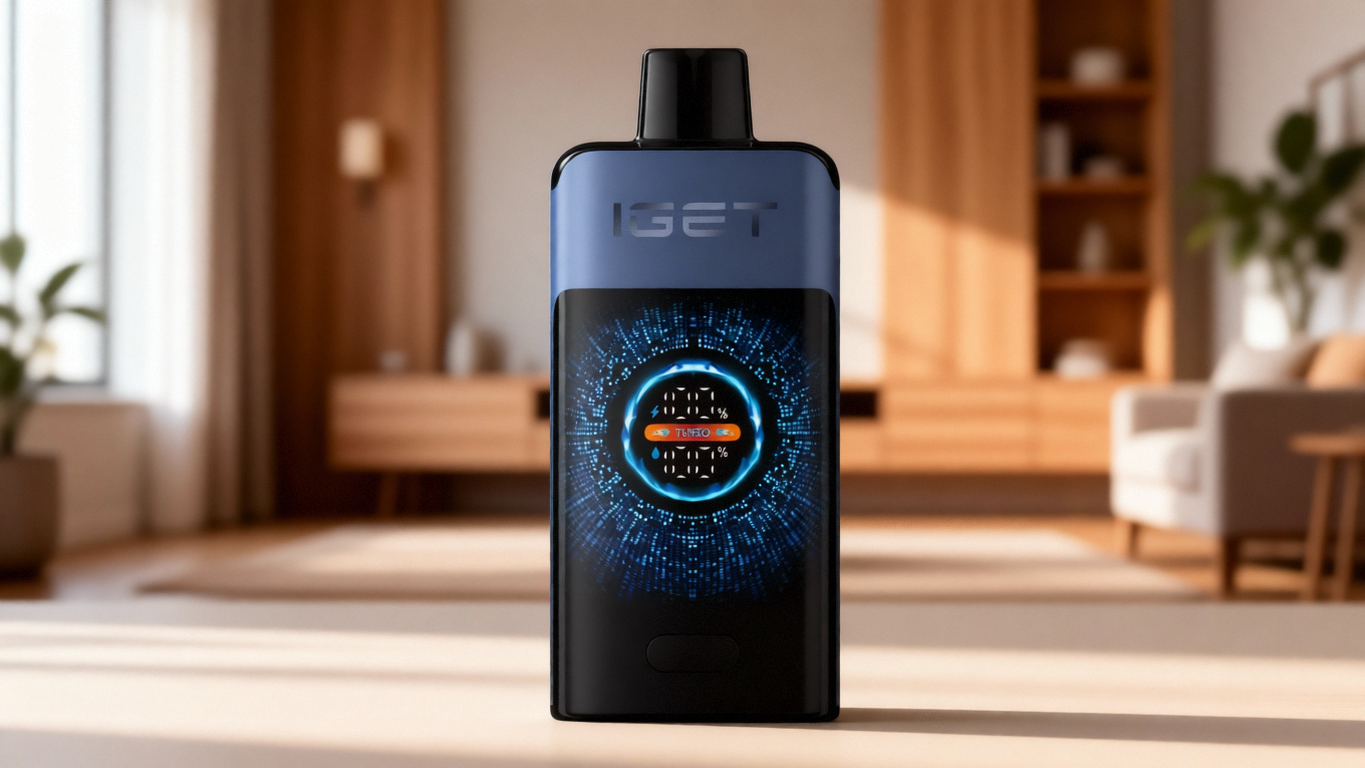
Check for any indicator response. Draw on the device and watch for an LED, vibration, or display change. If you get nothing at all, the device is either fully discharged, in protection mode, or has a complete internal failure. Connect it to a known‑good charger and observe whether a charging indicator appears.
Verify the charger and cable. A surprising number of “dead” devices are simply connected to a faulty cable or a low‑current power source. Use a charger that provides stable output and try a different cable if possible.
Inspect and clean external contacts. If the device has a removable pod or atomiser, remove it. Look at the contact pins on the body and the pads on the removable part. Clean both with a dry cotton swab. Re‑seat firmly.
Check for blockages. Examine the air inlet — often a small hole near the base or side — for lint or debris. If you can see an obstruction, gently clear it with a pin. Do not push anything deep into the device.
Rest the device. If you have been using it heavily, put it down for 10 minutes to allow the wick to re‑saturate fully. Try again with a slow, steady draw.
Observe the charging behaviour. A device that charges to full quickly and then discharges just as quickly almost certainly has a failing battery. If the device is within its expected operational life, this may indicate a manufacturing defect.
If all else fails, consult the documentation. Many devices have specific fault‑code patterns — three blinks for a short circuit, five for a depleted battery, etc. Knowing what those codes mean can save you time.
If, after this checklist, the device still does not work, the problem is likely internal and not user‑serviceable. At that point, the quality of the device itself becomes the deciding factor. Sealed units with no recourse for failure represent a dead end. Devices from manufacturers that offer robust quality control and clear warranties — and retailers like OZVAPE Shop that stand behind what they sell — provide a path forward.
Why Users Keep Running Into the Same Problems
It is worth stepping back to understand why “vape not hitting” is such a persistent search query. The answer lies not in individual user error but in structural characteristics of the market. Recognising these patterns can help you make better purchasing decisions.
Over‑reliance on a Single Specification
Many users select a device based on one number — puff count, battery capacity, wattage — while ignoring the systems that determine whether the device delivers on that promise. A high puff count means nothing if the wick burns out after the first third of its rated life because the coil temperature is poorly regulated. A large battery is wasted if the voltage regulation allows output to sag progressively, making the last quarter of the device’s life unsatisfying. Smart evaluation looks for balanced design where the heating element, power source, and control circuit are engineered as a system, not a list of individual components.
The Visual Similarity Trap
Walk into any shop and you will see dozens of devices that look nearly identical: the same form factor, the same colour palate, the same packaging style. It is natural to assume that products that look the same are the same. In practice, the internal materials — the grade of the heating wire, the quality of the battery cell, the presence or absence of sensor isolation — vary enormously. Two devices with identical external dimensions can deliver entirely different reliability and output stability. Reading beyond the surface, looking at how a device communicates its status and what sort of lifecycle guarantees are offered, is more predictive than judging the finish.
Undervaluing Predictability
In normal use, the most valuable quality a device can have is predictability. You want to know, with confidence, that each draw will feel like the last, and that you will receive a clear signal when the device is approaching its end. Devices that offer gradual, linear performance until a defined cut‑off point eliminate the anxiety of “is it me or is it dying?” This seems like a small thing, but in daily use it is the difference between a tool that blends into your routine and one that constantly demands your attention. When you evaluate any product range, ask yourself not “how does it perform on day one?” but “how will it perform on day one hundred?” The answer depends almost entirely on the quality of the underlying engineering.
Confusing Category Labels with Technical Features
The language used to categorise devices — disposable, semi‑disposable, pod system, modular — often obscures more than it reveals. A “disposable” device with a rechargeable battery and a replaceable cartridge behaves more like a modular system; a “pod system” that uses unregulated output may actually be less sophisticated than a well‑designed disposable. Focusing on the functional capabilities — Does it have a battery gauge? Can I replace the consumable? Is it protected against over‑discharge? — provides a much clearer picture than relying on category names.
Frequently Asked Questions
Q: My device doesn’t produce any vapour but the light comes on when I draw. What does that mean?
A: The sensor and battery are working, but current is not reaching the coil. The most likely causes are a dirty contact (if removable), a blocked airflow path that the sensor interprets as a weak draw, or a coil that has burnt out and created an open circuit. Clean contacts and check for obstructions first. If the device is sealed and still fails, the coil is probably dead.
Q: How can I tell if my device is simply out of e‑liquid versus having a dead battery?
A: If the device has a liquid‑level indicator, check that. Without one, the flavour will typically become faint, slightly burnt, or “dry” just before the liquid is exhausted, whereas a dead battery causes the device to cut out abruptly with no preceding change. If you are unsure, a brief charge will at least rule out the battery; if it still doesn’t hit after charging, the liquid is likely depleted.
Q: Why does my device work sometimes and not others?
A: Intermittent operation suggests a marginal connection, a failing battery that recovers voltage temporarily, or a sensor that is partially contaminated. Try cleaning all contacts and ensuring the device is fully charged. If the problem persists, the device is unreliable and will likely worsen.
Q: Can cold weather cause a device to stop hitting?
A: Yes. Low temperatures increase the viscosity of the e‑liquid, making it more difficult for the wick to saturate. The result can be weak vapour or no vapour at all. Store the device in an inner pocket close to body warmth and allow it to return to room temperature before use.
Q: My device charges but the draw feels weaker than before. Is this a sign it’s failing?
A: Gradual weakness suggests either coil gunk accumulation or battery degradation. If the device is relatively new, it may be that the coil is fouled from chain use. If it’s older, the battery may no longer be able to supply the required current under load. In either case, the power delivery is falling below the design specification.
Q: Are there devices that are known to have fewer “not hitting” issues?
A: Devices with clear status indicators, isolated airflow sensors, and regulated output tend to be more reliable. The ALIBARBAR Ingot 9000 and 15000, for example, are noted for consistent output and unambiguous end‑of‑life behaviour because their power management is calibrated to the coil’s characteristics throughout the device’s entire operational life.
Q: How do I know if my charger is causing the problem?
A: Connect the device to a different charger and cable. If it charges normally, the original charger is faulty. Avoid fast‑charge adapters that may deliver current beyond the device’s specification, as this can damage the battery management circuit.
Q: Is it safe to try to “jump start” a device that isn’t hitting?
A: No. Puncturing, disassembling, or bypassing safety features to force a device to fire can cause a short circuit, thermal runaway, or fire. If the device will not hit after standard troubleshooting, it should be replaced via proper channels.
Q: I bought a device from a new source and it doesn’t work. Could it be counterfeit?
A: Yes. Counterfeit devices are a known issue. They often use inferior components and lack the protective circuits found in factory‑certified products. Purchasing from verified retailers, such as OZVAPE Shop, significantly reduces the risk of receiving a non‑functional or unsafe unit.
Q: What should I do if my new ALIBARBAR device won’t hit out of the box?
A: First, charge it fully with a reliable charger. Check for any protective stickers covering the airflow inlet. If it still does not produce vapour, contact the retailer where it was purchased. OZVAPE Shop provides direct support for all ALIBARBAR products and can arrange a replacement for a legitimate factory defect.
The Real Fix Is a System, Not a Hack
The moment a device stops hitting feels personal — a small betrayal from a piece of equipment you rely on. But the solution is rarely a secret trick. It’s a systematic process: verify power, clean contacts, clear air paths, rest the wick, and read the status signals the device is giving you. When a device gives clear signals, that process is quick and reassuring. When it gives none, you are left in the dark.
The devices that will serve you best over time are those designed with the understanding that users need to know what’s happening inside. That means a battery indicator that doesn’t lie, a coil that is protected from self‑destruction, and a shutdown that is deliberate rather than sudden. These are not premium features; they are basic respect for the user.
If you are tired of playing detective with equipment that should just work, the products offered through OZVAPE Shop represent a curated selection built around that principle. The right device is the one that matches your actual routine — and gives you the information you need, when you need it, without a struggle.