
VAPE FAQs
How To Work A Vape Pen?

May
Operating a modern personal electronic device should be intuitive, yet a significant number of adults report confusion about basic functionality — a dead device when they expected a charged one, an unclear signal that leaves them unsure if the unit is even working, or inconsistent output that erodes trust in the tool. The frustration is rarely about the core mechanism; it stems from a lack of transparent, real‑time status communication.
At OZVAPE Shop, we see this pattern repeatedly. Users who understand their device’s feedback language report higher satisfaction and fewer wasted units. This article decodes that language. It provides a universal operational framework, grounded in the engineering design of current‑generation devices, and references the ALIBARBAR collection — a family engineered specifically to address these everyday irritations — as a concrete example.
Understanding Your Device: Core Systems and Status Feedback
Every handheld electronic device in this category comprises three interacting systems: the power delivery circuit, the activation trigger, and the material path. Mastering the device means interpreting what each system is telling you.
Power Source and Status Transparency
The power cell is the most common source of user disappointment. A device that dies without adequate warning forces the user to carry a backup, doubling their cost and carrying burden. Engineering that respects the user prioritises clear, multi‑stage indicators: a green light when capacity is above 60%, a blue or amber light for the mid‑range, and a distinct red signal when remaining operation is measured in minutes, not hours.
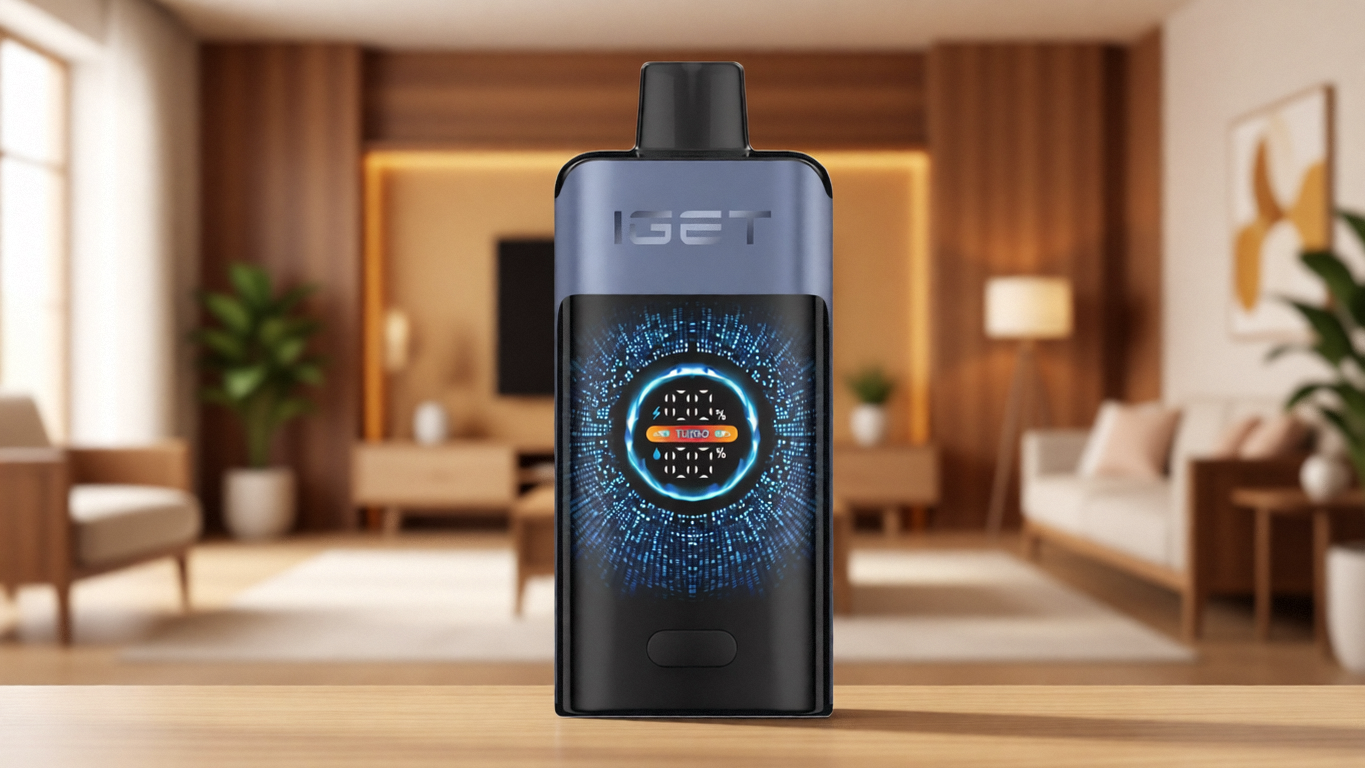
Finer designs, such as those in the ALIBARBAR INGOT series, go further. They integrate percentage‑based digital displays or colour‑coded LED bands that remain visible during use, not only when the device is idle. Why this matters: a visible status cue during operation allows you to pace your usage across a long day, avoiding the sudden dead‑device surprise that plagues simpler products.
Activation Mechanism and Thermal Modulation
There are two dominant architectures: draw‑activated sensors and manual push‑button switches. Draw‑activated devices reduce complexity — no buttons to lock or accidentally press — but they demand a clear, reliable sensor calibration. Poorly calibrated sensors may fire erratically or fail to activate on a gentle draw, forcing an uncomfortably hard pull.
The ALIBARBAR INGOT 9000 and 15000 use a pressure‑sensitive switch paired with a microprocessor that moderates power delivery to the heating element. This yields a consistent warmth from first draw to last, eliminating the gradual drop‑off that users describe as “the fade.” The Ice Adjust 12000 extends this by adding a user‑controllable output adjustment, letting you set the intensity to a fixed level, which the device then maintains across its entire rated operational life.
Material Path and Delivery Consistency
In sealed, pre‑filled units, the material reservoir and wicking architecture directly determine taste fidelity and whether the final draws remain as clean as the first. The most persistent complaint in the category is a burnt or dry experience toward the end of a device’s life. This happens when the wicking medium cannot keep pace with the heating cycle, or when the power management circuit continues to deliver full wattage after the material supply has dwindled.
Designs that mitigate this, such as those with parallel wicking channels and dynamic output tapering, extend the useful life and make the user experience predictable. When you know that the device will signal low capacity clearly and taper off gently, you are no longer forced to gamble on whether you have a few hours or a few minutes left.
Step‑by‑Step Operation: Getting Reliable Performance
The information below applies broadly but is validated against the ALIBARBAR user documentation provided through OZVAPE Shop. Devices conforming to these operational standards will behave as described.
1. Verify Authenticity and Initial Charge
Begin by sourcing your device from an authorised channel. A unit that ships through uncertified supply chains may carry a counterfeit control board, an incorrect power cell, or a sensor calibration that fails within days. OZVAPE Shop exclusively distributes factory‑certified ALIBARBAR inventory, and each device arrives with a tamper‑evident seal and a verification code you can confirm independently.

Upon unboxing, check the indicator light. A single short pulse when the device is lifted or tapped (if motion‑aware) or a press of the button (on button‑actuated models) should return a colour signal. If you see no response, connect the device to the specified charging input — almost always a USB‑C or micro‑USB source at 1A or lower. The ALIBARBAR INGOT series uses a rapid‑status animation during charging: a pulsing light that turns solid when equilibrium is reached, removing all ambiguity.
2. Interpreting the Activation Sequence
On draw‑activated devices (most current ALIBARBAR units):
Single‑colour steady light during draw: Normal operation, ample material and charge.
Fading light or blinking between draws: Approaching low capacity. You may have 10–15% of the total draws remaining. Plan accordingly.
Red blink on attempt to draw: The device has exhausted its charge or reached the end of its designed material cycle. It will not fire again, preventing the burnt hit that comes from an overdrained cell trying to heat a dry element.
On button‑operated or adjustable devices (Ice Adjust 12000):
Five rapid clicks toggles power on or off. Never store the device powered on; accidental activation in a pocket can drain the cell or damage the heating path.
Three clicks may cycle output intensity if the device supports it. Confirm the setting with the indicator colour — cool hues for lower output, warm hues for higher — so you always know your chosen level before the first draw.
3. Daily Use and Mid‑Cycle Checks
Make a habit of casting a brief glance at the indicator after any prolonged session. A device that suddenly shifts from steady green to flashing red mid‑use should be treated as a warning, not a malfunction. It means the power management system is preventing voltage sag that would otherwise compromise output consistency. Respect that signal; do not attempt to “force” a few more draws out of a device that has declared itself finished.
4. Addressing Common Slip‑Ups
No vapour, but light activates: The draw port or airflow channel may be obstructed by pocket lint. Gently clear the inlet with a dry, non‑conductive tool. Do not blow forcefully into the device; this can damage the pressure sensor.
Intermittent firing on draw: If the light flickers or the device cuts out unexpectedly, the sensor path may have accumulated condensation. Leave the device in a dry, room‑temperature environment for 30 minutes, mouthpiece facing downward.
Burnt or harsh sensation: On a sealed device, this usually indicates the material supply has been fully consumed, even if some charge remains. Stop use immediately. Continuing will only introduce an unpleasant taste and serves no practical purpose.
Applying These Principles: The ALIBARBAR Advantage
When you handle an ALIBARBAR INGOT 9000, for example, the operational transparency is immediate. The digital battery indicator leaves no room for guesswork. Its heating architecture ensures that draw #73 feels substantively equivalent to draw #7 — a consistency that removes the background anxiety about when performance will taper. The INGOT 15000 adds substantially to the total cycle count without increasing the device’s footprint significantly, making it a pragmatic choice for travel or extended periods without access to charging. The Ice Adjust 12000, with its output toggle, gives users a calibrated control that is entirely absent from fixed‑output competitors.
This design language — unambiguous status feedback, tamper‑proof seals, draw‑sensor precision — directly addresses the most commonly voiced user pain points documented by OZVAPE Shop’s service team. Customers who transition from designs with a single‑colour indicator to a multi‑level system report an immediate drop in the frequency of carrying backup devices, because they can finally trust what the product is telling them.
Common Mistakes Even Experienced Users Make
Over‑relying on Visual Bulk Instead of Status Indicators
A common error is assuming a physically larger device must contain more operational life than a smaller one. Size is not the metric; the manufacturer’s rated cycle count is, and even that should be considered alongside the indicator language. A compact device with a precise fuel gauge (like the ALIBARBAR INGOT series) can be managed more reliably than a bulky unit that only signals “alive” or “dead” through a single light.
Using Incompatible Charging Inputs
High‑wattage wall adapters built for laptops or fast‑charge smartphones can overwhelm the charging circuit of a small device. The battery management IC may accept the current, but repeated exposure can degrade the cell’s internal chemistry and shorten the overall lifespan. Use the cable supplied in the box and a standard USB‑A port (5V, 1A) unless the device documentation explicitly permits higher rates.
Assuming All Draw‑Activated Devices Operate Identically
Different sensor designs have different pressure thresholds. Some require a pronounced initial pull to “wake” the device; others, including the ALIBARBAR line, are calibrated for a gentle, sustained inhale. If you carry multiple device brands, note their activation signatures. Applying a sharp, aggressive draw to a sensitive sensor can flood the chamber and cause operational hiccups.
Ignoring the Value of Authorised Sourcing
A device purchased through an unverified marketplace might carry a cloned circuit board. The clone will often bypass safety cut‑offs, leading to over‑discharge events or no‑load firing. It may also lack the genuine battery management firmware that produces the reliable status signals described above. Sourcing through OZVAPE Shop eliminates this variable entirely.
Frequently Asked Questions
Q: What should I do if my device blinks ten times and then shuts off?
A: That blinking sequence is typically an error code. On many devices, it indicates an airflow sensor fault or low‑voltage lockout. Disconnect from any charger, allow the device to rest for 10 minutes, and try again. If the pattern repeats, the device has reached a protective shutdown and should not be forced.
Q: My device has a digital display showing a number. What does it mean?
A: On the ALIBARBAR INGOT series, the number represents remaining battery percentage. Use it as your primary decision metric. When it drops below 10%, the device will enter a reduced output mode to provide a few final, consistent draws before a clean shutdown.
Q: How do I know when to charge my device?
A: Rely on the status indicator, not on time elapsed. If the light shifts to red or the digital display shows below 20%, it is prudent to charge. Never leave the device charging unattended or overnight; disconnect it as soon as the full‑charge signal (solid light or 100% number) appears.
Q: Can I use the device while it is charging?
A: This is not recommended. Most small personal electronic devices are designed for pass‑through use only if explicitly stated. Otherwise, drawing power from the cell while it is charging can generate excess heat and degrade long‑term cell stability.
Q: My device suddenly tastes burnt, even though the charge indicator shows life. What happened?
A: The material supply has likely been exhausted before the charge. In a sealed device, the indicator sometimes references the cell voltage, not the material level. Stop use immediately. A burnt taste indicates the wicking medium is running dry, not a device fault.
Q: I prefer a stronger draw. Does the Ice Adjust 12000 allow me to increase intensity?
A: Yes. The Ice Adjust 12000 has a multi‑level output toggle. Adjust by clicking the control button three times to cycle through output profiles. The indicator colour shifts to reflect the active profile, so you always know your current setting.
Q: How should I store the device when not in use for a few days?
A: Store it upright in a cool, dry place, away from direct sunlight. Avoid locations that experience extreme temperature swings, like a car glovebox in summer. If the device has a power‑off sequence (button‑actuated), use it to prevent accidental activation.
Q: The device arrived with no light at all. Is it dead?
A: Not necessarily. Try connecting it to a standard 5V, 1A USB‑A power source using the supplied cable. A properly functioning unit will show a charging indicator within a few seconds. If nothing happens after 30 minutes, contact OZVAPE Shop for a verification check.
Q: Can I return a device if it doesn’t operate as described?
A: OZVAPE Shop handles returns on a case‑by‑case basis for factory‑certified products. Retain the packaging and verification code, and reach out to the customer service team. They will guide you through a diagnostic sequence before authorising any return, which protects both the user and the supply chain integrity.
Q: How do ALIBARBAR devices compare to other brands in terms of operation?
A: The primary differentiator is the status feedback system. While many brands use a single uncoloured LED, ALIBARBAR employs multi‑colour, percentage‑based, or digital readouts. This reduces guesswork and allows the user to plan usage. The operational sequence — draw to activate — is similar, but the device’s ability to communicate its internal state is significantly more advanced.
Informed Operation Leads to a Better Experience
The difference between a frustrating device and a reliable one rarely lies in the core function itself. It lies in the clarity of the conversation between the device and the user. A device that tells you when it is ready, when it is working, and when it is nearly done gives you agency. You stop carrying spares out of anxiety; you stop throwing away units that still had 20% of their material remaining; you stop interpreting every flicker as a malfunction.
ALIBARBAR has systematically engineered its product line — the INGOT 9000, INGOT 15000, and Ice Adjust 12000 — around that principle. And through OZVAPE Shop, you access these devices with the added layer of factory‑certified provenance and a local support team that understands how they should work.
Your routine is unique. The right device is the one that communicates clearly enough to fit into that routine without constant monitoring. Choose a device that respects your time, and learn to read the signals it provides. That small investment in operational literacy repays itself every single day.