VAPE FAQs
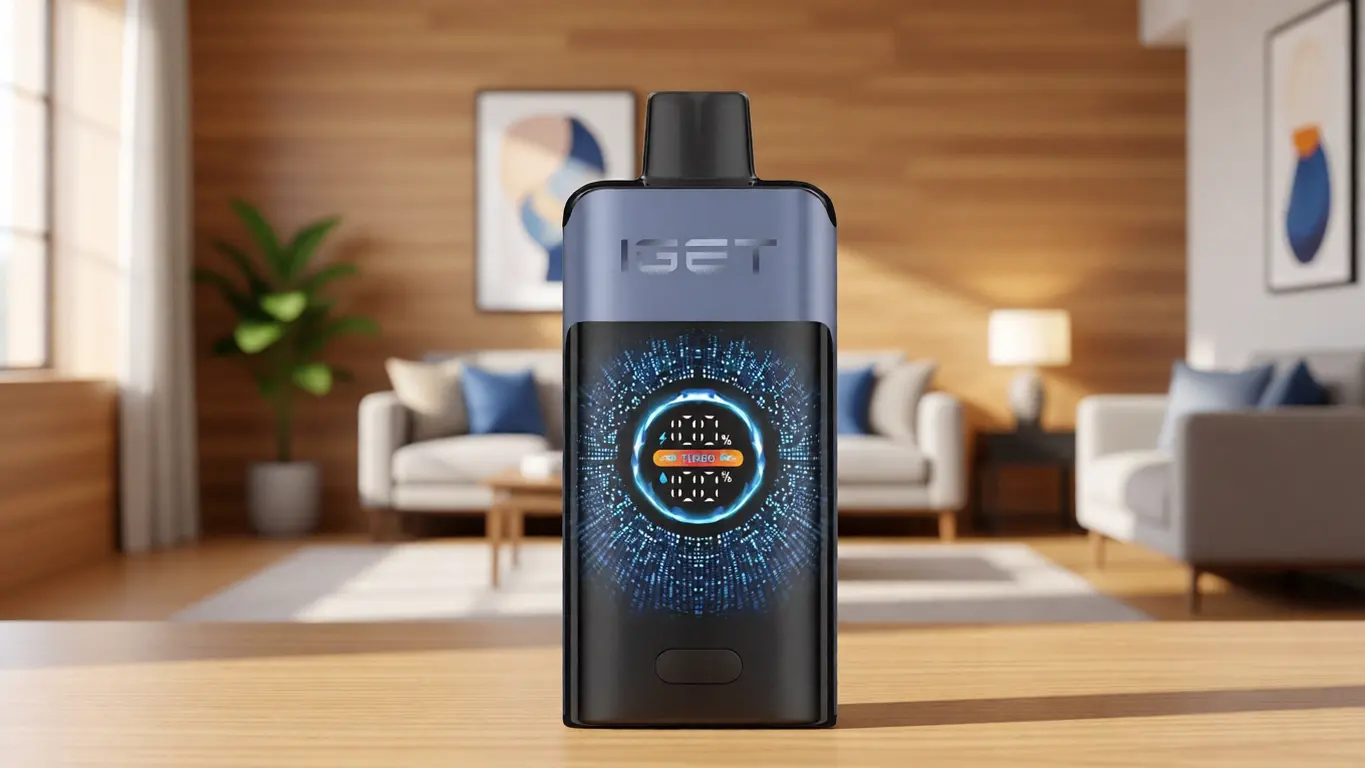
How To Unlock Iget Vape?
Sep
How To Unlock Iget Vape?
Introduction
A user picks up a device they have relied on for weeks, presses the activation point, and nothing happens. No indicator light, no response, just silence. The immediate assumption is often a depleted power source, but a far simpler reality is frequently overlooked: the device is locked. For anyone who has stood stranded with a perfectly functional tool that refuses to operate, the frustration is real. The lock mechanism is not a defect, though; it is a deliberate engineering choice embedded in many modern portable electronic devices, including the iGet family. Understanding what it is, why it exists, and how to disengage it without compromising safety or hardware can transform a moment of annoyance into a non‑event.
OZVAPE Shop, as a source of factory‑certified devices and transparent product information, has observed that a significant proportion of support enquiries about “dead” units are actually about locked units. This article unpacks the logic behind these lock systems, provides a reliable method for restoring normal operation, and explains the subtle hardware signals that indicate whether you are dealing with a security lock, a sleep mode, or a genuine fault.
Understanding the Lock Ecosystem: More Than a Child Safety Feature
The Two Reasons a Device Locks
Locks on electronic inhalation devices are not arbitrary. They typically serve one of two purposes:
Regulatory compliance and harm reduction: Jurisdictions increasingly require that devices incorporate a deliberate activation sequence (commonly five rapid presses) to prevent unintentional energizing in pockets, bags, or by young children.
Operational protection: Some firmwares initiate a low‑power lockout when the cell voltage drops below a safe threshold, preventing damage to internal components. In these cases, attempting to “unlock” without addressing the power source will fail.
The iGet series, depending on the exact model and generation, may utilise both types of lock. Discerning which one is active is the first diagnostic step.
Identifying the Lock Type Without Guesswork
When you try to energize the device and see no output, glance at the indicator light:
No light at all: The most likely cause is a dead power cell or a hardware‑level disconnection. A lock is rarely silent; most firmware‑based locks will flash a pattern.
LED flashes several times (often 3–5 white or blue blinks): This is the hallmark of a software lock. The controller has registered your press but refuses to activate because the unlock sequence has not been performed.
Single colour, no vapour, but the light stays on momentarily: This could point to a faulty atomiser, not a lock. The lock is not the problem here.
In practice, the standard five‑click lock/unlock is the most common interaction reported across the iGet Bar, iGet Legend, and similar form factors. The device stores a simple flag in memory: locked or unlocked. Toggling it requires a specific, rapid, consecutive press pattern.
Why User Manuals Often Overlook the Unlock Protocol
Many compact devices ship with minimal documentation. Instructions are reduced to pictograms that assume the user already understands industry‑standard gestures. OZVAPE Shop has noted that this assumption creates an avoidable support burden, especially for adults who are new to the category. If the manual is missing, the unlock protocol can be discovered without risk by observing the LED response to different click cadences—provided the unit has enough charge to signal.
A Methodical Unlocking Procedure for iGet Devices
This procedure is based on the control chip firmware commonly found in authentic iGet rechargeable and disposable units. It applies to devices with a manual button (not draw‑activated‑only units that have no physical button; those are typically always ready unless the cell is depleted).
Confirm the device has sufficient charge. Connect it to a known‑good USB‑C or Micro‑USB source (depending on the model) for at least five minutes. A charging indicator should illuminate. If no charging light appears, the power cell or the charging circuit may have failed, and no unlock sequence will help.
Identify the fire button. On most iGet models, this is the same button used for activation. In some dual‑button designs, the smaller button may be an airflow control; verify by referring to an image of the specific SKU on an information‑rich product page.
Perform the five‑click sequence. With the device idle (not recently activated), press the fire button five times in rapid succession. The rhythm is important: each press must be distinct, with roughly 0.2–0.4 seconds between presses. Too slow and the controller interprets it as individual button presses; too fast and the debounce circuit may reject it. After the fifth click, pause.
Observe the LED. On a successful unlock, the indicator light will typically flash a sequence—often three rapid blinks—and then remain off. Some models will instead light the LED continuously for a second to signal readiness. The exact pattern can vary by firmware revision.
Test the device. Draw on the mouthpiece while pressing the button (if applicable). If vapour is produced normally, the device was locked and is now operational.
If the device remains unresponsive after this sequence, the issue is not a firmware lock. Move to the next section.
When Unlocking Fails: Authenticity, Firmware Variants, and Hardware Integrity
Unlocking failures often expose more fundamental problems. Three patterns dominate the feedback OZVAPE Shop receives:
Counterfeit control boards that lack the standard five‑click logic altogether. A non‑genuine device may appear identical externally but behave erratically, including ignoring all click patterns.
Damaged flex cables or button dome switches that prevent the microcontroller from registering your presses. If the button feels unusually stiff, mushy, or inconsistently responsive, mechanical failure is the likely cause.
Deep‑discharged power cells where the protection circuit has permanently tripped. In this state, the device cannot wake up even to flash an error code.
In each of these scenarios, no amount of button pressing will restore function. The user is left with a hardware paperweight. This is why supply chain transparency matters. When you obtain a device through a channel that guarantees factory‑certified inventory, you eliminate the first and most frustrating variable. OZVAPE Shop structures its sourcing around exactly that principle, so the unlocking process becomes a trivial routine rather than a diagnostic rabbit hole.
Industry Observations: The Hidden Cost of a Misunderstood Lock
Designing for the “Unlock Panic”
From a product‑design perspective, the five‑click lock is a solved problem, yet user complaints remain disproportionately high. Why? Because the lock status is invisible. A device does not announce, “I am locked.” It merely refuses to fire. Engineers assume the user will try the unlock sequence out of habit, but for someone unfamiliar with the convention, silence reads as failure.
More thoughtful manufacturers — and iGet’s latest iterations show some progress here — now implement a low‑battery blink when locked but still possess adequate charge to signal. This small change dramatically reduces unnecessary returns. If your iGet model does not blink when locked, it may be an older or cost‑optimised firmware version.
The Reputation Risk of Lock‑Misinformed Returns
OZVAPE Shop regularly witnesses a scenario where a perfectly functional device is returned as “dead,” only for the support team to unlock it in seconds. This wastes time, shipping resources, and erodes trust. Retailers that invest in comprehensive pre‑purchase education — including a short video or diagram of the unlock protocol — see significantly fewer lock‑related disputes. It is a straightforward test of a seller’s commitment to user enablement over transactional churn.
Frequently Asked Questions
Q: Can I permanently disable the lock on my iGet device?
A: Generally, no. The five‑click lock is embedded in the firmware and cannot be removed. You can only toggle it between locked and unlocked states. Some users simply never lock it deliberately and rely on the auto‑shutoff timer instead, but the lock will re‑engage if the device is powered off manually or after certain idle periods.
Q: My iGet was unlocked and working, but now it’s locked again. Is that normal?
A: Yes, especially after a full recharge or if the device entered deep‑sleep mode to conserve power. Some models automatically re‑lock when disconnected from a charger. You will need to repeat the five‑click sequence.
Q: Does the five‑click sequence work on draw‑activated disposables without a button?
A: No. If there is no physical button, there is nothing to press, and consequently no software lock to disengage. If a draw‑activated device fails to vapourise, it is either empty or has an internal failure.
Q: I tried five clicks and the light flashed, but it still won’t fire. What now?
A: The flash confirms the lock toggled, so the problem lies elsewhere. Inspect the airflow path for blockages, ensure the atomizer is not burnt (a harsh, dry taste), and verify the power cell isn’t so low that it cannot sustain heating even though the controller is awake.
Q: Where can I find the exact unlock instructions for my specific iGet model?
A: The manufacturer’s official product page or a detailed, specification‑focused retailer listing is your best source. Look for documentation that lists the LED blink patterns explicitly. Avoid user forums where outdated or generic information may apply to a different device generation.
Q: Is it safe to keep unlocking the device rapidly?
A: Within reason, yes. The locking mechanism is a software state change, not a mechanical part that wears with each toggle. However, repeatedly pressing the button hundreds of times in quick succession could, in theory, accelerate wear on the dome switch. Normal use is harmless.
Q: Could a firmware lock be a sign that the device is counterfeit?
A: Not necessarily. Legitimate iGet devices have locks. However, an erratic lock behavior—unlocking and spontaneously re‑locking within seconds, or requiring an unusual number of clicks—can indicate a cloned control chip. When in doubt, compare the device’s physical anti‑counterfeit markings and purchase history.
Q: What should I do if the device unlocks but the vapour is weak?
A: Weak vapour after unlocking is usually a separate issue: a nearly depleted cell that can power the logic board but not the heater, a clogged mouthpiece, or a drying wick. Charge fully and clean the contacts before assuming a deeper fault.
Conclusion
The lock mechanism on an iGet device is not an obstacle meant to frustrate you; it is a predictable, lightweight safety feature that rewards understanding. Once you recognise the LED signals and master the five‑click cadence, the entire “unlock” procedure becomes second nature and ceases to be a source of anxiety. The genuine risk lies elsewhere: in chasing an unlock sequence on a counterfeit or physically broken unit, or in discarding a perfectly good device because no one ever showed you how to read its status indicators.
OZVAPE Shop’s commitment to providing clear, technically sound information — and to stocking only factory‑certified devices — reduces the chance that you will ever waste time on a phantom lock. When you purchase from a source that prioritises transparency, the unlock button becomes what it was always meant to be: a minor interaction, not a major event. The right device for you is the one that fits your routine and makes its state plainly known. And now, you know how to listen.