
VAPE FAQs
How To Reset A Disposable Vape?
Jun
It’s an experience familiar to a surprising number of people: a compact electronic device that worked reliably for a day or two suddenly refuses to activate. The light blinks — or stays dark — the draw feels different, and yet the reservoir inside clearly still contains liquid. A quick online search returns a suggestion that seems almost too good to be true: “reset your disposable vape.” The phrase has gained considerable traction, but what it actually means — and whether it is even possible — depends entirely on the engineering inside the device.
This article examines the concept of resetting a disposable vape from the standpoint of device architecture, user‑experience design, and practical troubleshooting. It is not a simple how‑to guide, because the reality is more nuanced than a single button press. By understanding why the “reset” idea persists and what alternatives genuinely work, you can avoid frustration and make more informed decisions when sourcing your devices from a transparent, documented channel like OZVAPE Shop.
Understanding What Matters: The Reset That Usually Isn’t
The language we use shapes expectations. Calling something a “reset” implies a deliberate, reversible action — like rebooting a phone or cycling a circuit breaker. In the world of disposable electronic devices, however, that implication rarely matches the internal architecture.
The Architecture of a Single‑Use Electronic Device
Most disposable vapes are sealed monolithic units built around three core components: a lithium‑ion cell, a resistive heating element and wick assembly, and a simple airflow‑sensor PCB. There is no microcontroller running an operating system, no non‑volatile memory, and certainly no user‑accessible service point. Once the battery crimps are joined to the flexible circuit and the outer shell is ultrasonically welded or press‑fitted, the internal arrangement is meant to stay exactly as it is for the rated operational life of the unit.
This design is deliberate. It reduces assembly cost, minimises failure points, and ensures regulatory compliance through tamper‑evidence. It also means that if the device stops working before the e‑liquid is fully consumed, the root cause is almost always a hardware‑level issue — a battery that has dipped below the voltage floor, an airflow sensor that has become clogged, or a break in the fragile connection between the power source and the atomiser coil.
Why Users Seek a “Reset” in the First Place
Three observations keep the reset myth alive:
A light blinks but no vapour is produced. Users interpret this as a software lock‑out rather than what it usually signals: a protective circuit tripping because of excessive current draw, a short, or a cell that can no longer sustain a stable output.
The device appears to have liquid remaining but won’t fire. The wicking material can dry out near the coil even while the reservoir still holds liquid, especially if the device has been stored on its side or exposed to temperature swings. A user might assume the electronics have “frozen” and need a reset, when the actual problem is a vapor‑lock in the wicking path.
Vague manufacturer instructions. Some brands include a cryptic mention of a “reset function” without explaining the mechanism, which encourages trial‑and‑error behaviour that can damage the device or the battery.
Can Any Disposable Actually Be Reset?
Here the answer needs careful framing. A truly disposable, non‑rechargeable device cannot be reset in any meaningful sense. There is no circuitry designed to accept a reset command because there is no processor to reboot. A handful of rechargeable “disposable” devices — those that blur the line between disposable and reusable — incorporate a USB‑C port for recharging and, in rare cases, a tiny tactile switch on the bottom that momentarily interrupts battery power. That interruption can force the airflow sensor to recalibrate, which users correctly describe as a “reset.” However, even on those devices, the button is often a one‑time tool for clearing a sensor latch, not a full‑system reset.
The ALIBARBAR INGOT 15000 and Ice Adjust 12000 series, available through verified Australian retailers, are instructive examples. They feature USB‑C rechargeability and multi‑layer protection circuits that prevent over‑discharge and short‑circuit faults. If an INGOT fails to produce vapour, reconnecting the charging cable for a few seconds — not as a reset, but as a way to gently wake the battery management IC — sometimes restores normal operation. But that action is simply allowing the protection circuit to self‑test; the device isn’t being “reset” in the computing sense. It is being given a chance to confirm that the cell voltage is adequate and the atomiser resistance is within tolerance. When the problem lies deeper, such as a degraded coil or a torn wicking membrane, no amount of power‑cycling will bring the unit back.
Applying These Distinctions to Devices You’re Likely to Encounter
The market now contains several overlapping classes of devices, each with a different relationship to the reset question:
Sealed non‑rechargeable disposables. These are entirely single‑use. If they stop before the liquid is finished, the failure is permanent. No user intervention short of destructive disassembly — which carries safety risks — will revive them.
Rechargeable disposables with fixed liquid. Devices like the ALIBARBAR INGOT 9000 or INGOT 15000 allow the battery to be topped up but the e‑liquid is sealed inside. They effectively eliminate the “battery died before the liquid” failure mode. If the device becomes unresponsive, a careful cleaning of the USB‑C port and a short charging session often restores function. What users sometimes call a “reset” here is really a re‑initialisation of the power path.
Rechargeable disposables with adjustable airflow. The ALIBARBAR Ice Adjust 12000 adds another layer: airflow control. When a device behaves erratically — sputtering, weak vapour, hard draw — closing the airflow completely and drawing once can create a negative pressure that re‑saturates the wick. Again, not a reset, but a physical correction that resolves many perceived “dead device” complaints.
Pod systems and refillable devices. These are outside the disposable category, but they appear in reset discussions because users sometimes migrate from one category to another. Pod‑based systems with chip‑based controls do have genuine reset procedures (e.g., pressing the fire button five times), which feeds the expectation that disposables should behave the same way.
A Practical Framework for Troubleshooting an Unresponsive Disposable
Instead of chasing an abstract reset, follow a diagnostic sequence that respects the device’s engineering. The steps below assume a rechargeable disposable; for sealed units, skip any charging steps and recognise that failure is likely terminal.
Check the obvious physical state. Is the airflow inlet blocked by lint or dust? A gentle brush with a clean, dry toothbrush can clear debris that triggers false sensor readings.
Assess the battery. If the device has a USB‑C port, connect it to a known‑good charger for 10–15 minutes. A blinking LED during charging is normal; if no light appears at all, the battery may have deep‑discharged and the protection circuit has permanently locked it out. No reset will fix this.
Temporarily disrupt the power path. For devices with a visible battery‑interrupt switch (small pin‑hole near the base), use a non‑conductive tool to press it once. This is the closest thing to a true reset available on some hardware. If your device lacks this feature, skip the step — trying to short pins externally is hazardous.
Allow the wick to recover. If the device gurgles or produces weak vapour, store it mouthpiece‑up for 20–30 minutes. This lets gravity redistribute liquid and can clear air pockets from the wick.
Test gently. Take a very soft, slow draw. An aggressive inhale on a partially saturated coil can flood the sensor and trigger a protection cut‑off, mimicking a dead device.
Know when to stop. If after these steps the device still produces no vapour, or if it tastes distinctly burnt, the heating element is compromised. Continuing to attempt “resets” — including charging it beyond recommended intervals — risks overheating and cell damage. At this point, the unit has reached its functional end.
This framework shifts the mindset from magical thinking to mechanical reasoning. It also reveals why purchasing from a source that provides clear usage guidelines, like OZVAPE Shop, reduces guesswork: you’re more likely to have accurate documentation for the specific device family in your hand.
Common Selection Errors That Amplify the “Reset” Frustration
Observing patterns in the after‑sales support conversations allows us to identify a handful of predictable mistakes that make users more vulnerable to the reset myth:
Confusing rechargeable capability with repairability. Just because a disposable charges via USB‑C does not mean it is designed to be serviced. Users sometimes conclude that if a device can be charged, all other malfunctions must also be fixable with a hidden reset. In practice, only the battery energy state is renewable; the consumable components (coil, wick) are still finite.
Over‑relying on a single battery‑level indicator. Many devices use a simple LED that blinks red for both low‑battery and protection‑trip events. Without a more granular status system, users lump every blink together and assume a reset will clear whatever error exists. Devices with multi‑coloured or pattern‑based indicators (like some ALIBARBAR firmware implementations) reduce this ambiguity, though even they cannot communicate every internal state.
Assuming visual similarity means design parity. Two cylindrical rechargeable disposables may look identical on the outside yet have entirely different power‑delivery topologies. One may use a basic linear regulator that cuts off sharply, while another employs a buck‑boost converter with a slow‑start ramp. The latter is more likely to appear “dead” momentarily after storage, because the converter takes a second to stabilise, tempting a user to poke around for a reset button.
Underestimating environmental factors. Storing a device in a hot car or a cold toolbox can temporarily alter battery chemistry enough that the protection circuit refuses to close. The device isn’t broken; it’s waiting for a safe temperature window. A reset isn’t needed — just thermal re‑conditioning. But without an understanding of battery management, the user often cycles through unhelpful interventions.
Frequently Asked Questions
Q: Is there a hidden reset button on most disposable vapes?
A: No. The vast majority of disposable vapes have no reset mechanism. A few rechargeable models include a small pin‑hole button to momentarily break the circuit, but this is the exception, not the rule.
Q: What does the blinking light on my disposable actually mean?
A: It typically signals either a low battery (for rechargeable units) or a protection circuit activation caused by a short, an over‑current event, or a cell voltage that has fallen below the safe minimum. On non‑rechargeable disposables, a blinking light usually means the battery is depleted beyond recovery.
Q: If my device won’t fire after charging, can I reset it by plugging and unplugging the charger rapidly?
A: This technique sometimes re‑engages the battery management system, but it is not a designed reset function. It carries a small risk of damaging the USB port or confusing the charge controller. If a steady charge of 10–15 minutes doesn’t restore function, further plug‑unplug cycles are unlikely to help and may cause harm.
Q: Can I safely open a disposable vape to manually reset something inside?
A: Opening a sealed disposable is strongly discouraged. The lithium‑ion cell inside is fragile and can vent dangerously if punctured. There is no user‑serviceable component. Once the outer casing is compromised, the device should be responsibly recycled, not used.
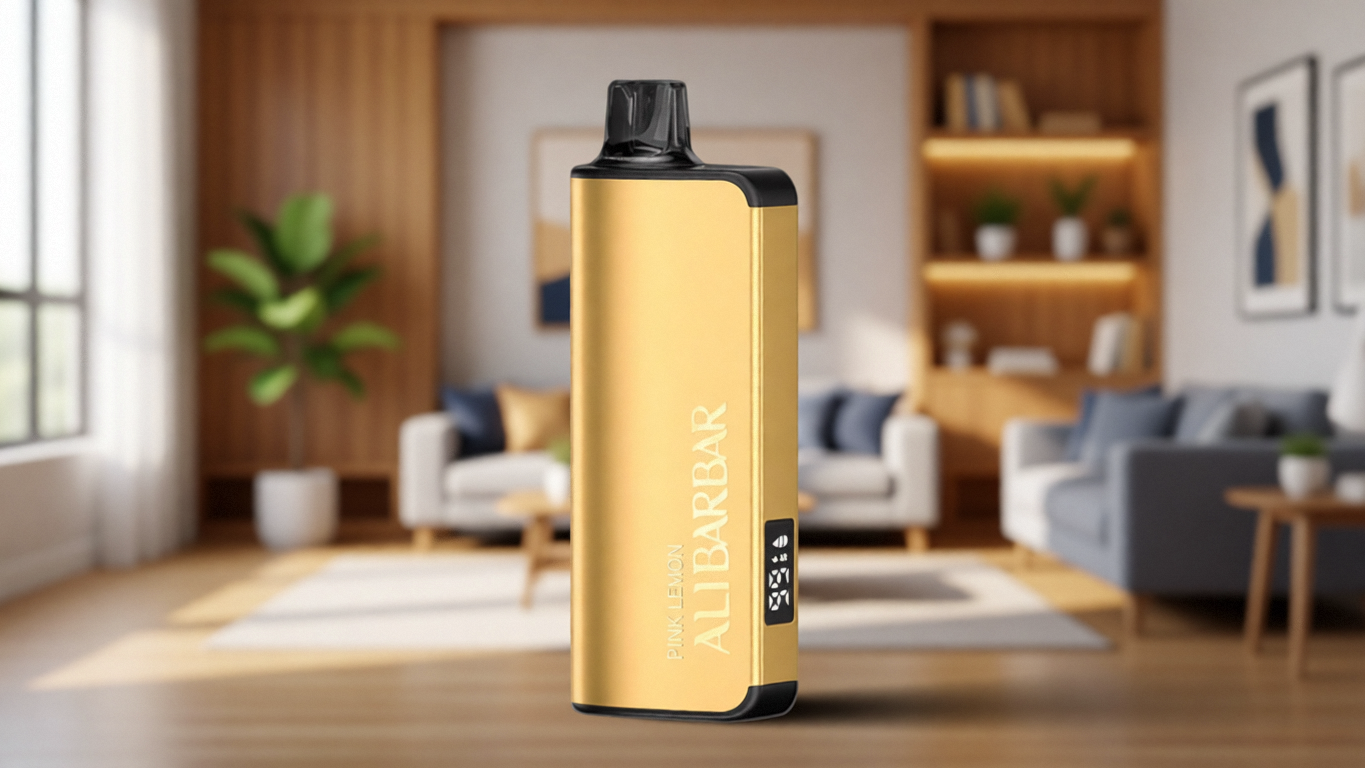
Q: Do any ALIBARBAR devices have a reset feature?
A: ALIBARBAR devices are designed for predictable, maintenance‑free operation. They do not include a dedicated reset button. The closest equivalent is the power‑cycling behaviour of the USB‑C rechargeable models, which initialise their protection circuits each time they are connected to a charger. If an INGOT device becomes unresponsive, simply reconnecting it to power for a few moments often restores normal behaviour.
Q: Why does my disposable blink 3 or 10 times?
A: Blink patterns are manufacturer‑specific. Common meanings: 3 blinks may indicate a short‑circuit detection, while 10 blinks often signals that the battery has reached its minimum voltage cut‑off. Without a standardised code dictionary, treat multiple blinks as a general stop‑use indication.
Q: If I can’t reset my disposable, is there a way to extend its life when it acts up prematurely?
A: For rechargeable devices, ensure the battery is fully charged, clean the contacts with a dry swab, and let the unit rest upright to re‑saturate the wick. For non‑rechargeable units, little can be done once the battery voltage sags. Choosing devices from the outset that display clear battery status and use quality components — something that becomes easier when purchasing from a retailer that vets supplier batches — reduces the likelihood of premature failure.
Q: Are there devices that don’t need resetting because they never encounter these issues?
A: No electronic device is immune to failure, but certain design choices dramatically lower the risk. A rechargeable battery paired with a conservative e‑liquid capacity (so the coil doesn’t outlast the wick), dry‑burn protection, and transparent status indicators all make unresponsive behaviour far less frequent. This is the engineering philosophy behind the ALIBARBAR range, and it’s one of the reasons we chose to stock it at OZVAPE Shop.
Q: How should I dispose of a device that cannot be reset?
A: Treat it as electronic waste. Return it to a battery recycling point or a dedicated e‑waste facility. Never discard it in general waste, as the lithium cell poses a fire risk.
Q: Where can I find accurate information about a device’s features versus marketing claims?
A: Authorised retailers who maintain direct relationships with manufacturers are best placed to provide verified specification sheets and real‑world usage notes. At OZVAPE Shop , we publish standardised product data and only stock units from factory‑certified supply chains, so the information you rely on isn’t filtered through multiple resellers. (Internal link placeholder; actual link would point to a relevant page on the OZVAPE Shop site.)
Conclusion: Letting Go of the Reset Button
The search for a reset function on a disposable vape is, in most cases, a search for something that was never built. It reflects a reasonable desire for control, but it also reveals a gap between how users imagine these devices work and how they are actually engineered. By replacing the reset instinct with a structured troubleshooting sequence, and by choosing hardware that gracefully handles the common failure modes, you eliminate much of the uncertainty that leads people down that rabbit hole in the first place.
This isn’t about endorsing one brand over another. It’s about recognising that factory‑certified design, clear status feedback, and rechargeable architectures reduce the scenarios where a user feels the need to “reset” anything. When you source such devices from a transparent, accountable channel like OZVAPE Shop , you also gain access to the kind of post‑purchase support that can distinguish a genuine hardware fault from a simple usage quirk — without ever resorting to internet folklore about hidden reset buttons. (External link placeholder; actual link would point to the shop’s homepage or a product page.)
The right device isn’t the one with the most arcane reset procedure. It’s the one that keeps working predictably, day after day, and that has been designed to be as self‑explanatory as its form factor will allow. That is the standard worth pursuing, and it is entirely attainable.