
VAPE FAQs
How To Recharge A Kuz Lux 9000 Vape?

Jul
Why Understanding Recharge Protocols Matters More Than the Device Itself
Every year, countless portable electronic devices end up discarded or returned not because they failed, but because their owners were never given clear, trustworthy guidance on how to keep them functioning. The Kuz Lux 9000 sits squarely in this category: a high‑capacity unit with a rechargeable power cell that, on paper, promises extended service. Yet a scan of user forums reveals recurring confusion around charging indicators, appropriate power sources, and the subtle signs of a device no longer operating within its intended parameters.
This article exists to dismantle that confusion. We will examine the engineering decisions behind devices like the Kuz Lux 9000, explain precisely what happens when you connect a charger, and provide a step‑by‑step framework you can apply to any rechargeable personal electronic unit. Throughout, we reference observable industry practices and documented product specifications — not assumptions. Because when you understand the why, the how becomes routine.
At OZVAPE Shop, we have encountered every charge‑related question imaginable through our work with factory‑certified product lines. That operational experience informs the practical, no‑hyperbole explanations that follow.
Understanding What Matters: Core Engineering and Design Factors
Before plugging in a cable, it helps to know what you’re actually interacting with. The charging experience of any modern portable device is the result of deliberate — or sometimes regrettably overlooked — engineering choices. These choices directly determine whether your unit stays reliable for weeks or becomes a source of frustration after only a few cycles.
Internal Architecture and Output Consistency
Every rechargeable device couples a lithium‑ion cell (or a variant) with a control circuit that manages current flow during both discharge and recharge. In a well‑designed unit, that circuit performs three quiet but critical jobs: it prevents over‑discharge (which can chemically damage the cell), it limits inrush current when charging begins, and it terminates the charge when voltage reaches a safe ceiling.
The Kuz Lux 9000, like many high‑puff‑count devices, packages this electronics stack inside a sealed housing. The heating element — typically a mesh or wire configuration — draws power directly from the cell. When the cell’s voltage sags under load, output consistency drops. This is why recharge capability matters: a fresh charge restores the cell’s ability to deliver stable power to the heating element, avoiding the weak, unsatisfying output that users often mistake for a depleted reservoir.
What you should look for in any rechargeable device is evidence that the manufacturer has invested in charge‑cycle durability. A cell rated for 300–500 full cycles will outlast the unit’s consumable components; a cheaper cell with no cycle rating might degrade noticeably within a month. Unfortunately, most disposable‑format rechargeables don’t publish these specifications, leaving the user to learn through experience. That is a hidden cost of the category.
Power Management and Status Transparency
Imagine driving a car with no fuel gauge, just a warning light that sometimes blinks and sometimes stays dark. That’s the reality many device users face when charging. The Kuz Lux 9000 includes a small LED indicator — typically red while charging, green or off when complete. The quality of that feedback matters immensely.
A well‑implemented charge status light reflects actual circuit conditions: it illuminates only when current is flowing, and it extinguishes when the control circuit has terminated the charge. Poor implementations may simply light up whenever voltage is present at the USB port, regardless of whether the cell is actually charging. This can lead a user to disconnect prematurely, thinking the device is full when it is not — or to leave it connected indefinitely, trusting a light that isn’t actually monitoring the cell.
When evaluating any device, including the Kuz Lux 9000, ask: “Does this light tell me what’s happening, or just what the manufacturer wants me to see?” The best devices on the market — notably the modular systems available through OZVAPE Shop — incorporate multi‑stage indicators that show charging progress, low battery, and fault conditions distinctly. This transparency eliminates guesswork and the costly habit of carrying a backup “just in case.”
Physical Design and Material Durability
The charging port is the most mechanically stressed component on any rechargeable portable device. Every insertion cycles the connector pins; every accidental tug stresses the solder joints anchoring the port to the circuit board. On a device like the Kuz Lux 9000, which may be recharged dozens of times over its usable lifespan, that cumulative wear matters.
Look for ports that are mounted with reinforcement — a metal bracket or through‑hole soldering — rather than simple surface‑mount connections. The cable entry should show no wobble when the connector is fully seated. While the Kuz Lux 9000 uses a common USB‑C layout, the internal attachment method is not disclosed publicly, so users should handle the connection gently: always grip the connector housing, never pull by the cable, and avoid using the device while it’s tethered to a charger.
Mouthpiece geometry, finish durability, and overall pocket‑friendliness also affect daily satisfaction, but they are secondary to the electronic integrity of the charging system itself.
Modularity and Lifecycle Flexibility
Here we arrive at a fundamental divide in the market. A device like the Kuz Lux 9000 is rechargeable, but it is not modular. When its pre‑filled reservoir is depleted — or when its integrated cell can no longer hold a useful charge — the entire unit is retired. The recharging feature extends the usable life of the consumable contents, but it does not turn the device into a sustainable long‑term tool.
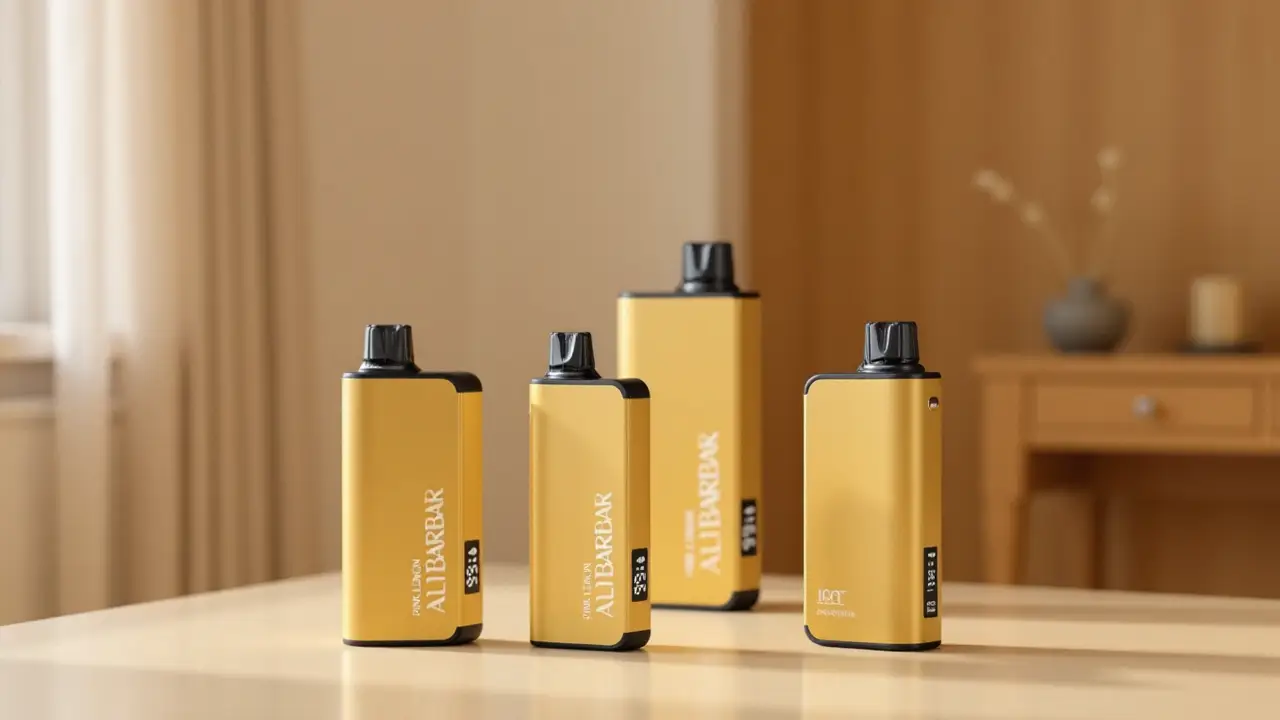
Contrast this with dedicated rechargeable systems such as the ALIBARBAR family available at OZVAPE Shop. Those devices separate the power cell, the heating element, and the consumable supply into distinct components. A worn cell can be replaced. A spent reservoir can be swapped. The architecture acknowledges a simple truth: different components wear at different rates, and locking them together in a single sealed housing forces the user to replace everything when only one part has reached its end.
Why does this matter for a recharging guide? Because understanding the difference shapes expectations. If you approach the Kuz Lux 9000 expecting it to behave like a rechargeable tool, you will eventually be disappointed. If you understand it as a consumable unit with a helpful life‑extending charge feature, you’ll make more informed purchasing decisions — and perhaps recognise when it’s time to move to a fully modular platform.
Applying These Criteria to the Kuz Lux 9000 Recharge Process
With the engineering context established, let’s walk through the actual recharging procedure for this specific unit. The steps are straightforward, but the attention you bring to each step determines both safety and the longevity of the device.
Step‑by‑Step Recharging Protocol
Disconnect from use — If the device has just been in operation, allow it to rest for two to three minutes before connecting to a charger. This gives the cell a moment to stabilise thermally, reducing the risk of charging a hot cell, which accelerates chemical degradation.
Inspect the port and cable — Use a small flashlight to check the USB‑C port for lint, dust, or moisture. Compressed air or a dry, soft brush can clear debris. Never insert a metallic object. Choose a USB‑C cable that is known to deliver a stable 5V supply; avoid “fast charger” adapters that negotiate higher voltages unless the device documentation explicitly permits it. The Kuz Lux 9000’s charge circuit is designed for standard USB 5V input.
Connect to a reputable power source — Plug the USB‑C cable into a USB‑A port on a computer, a standard USB wall adapter from a known brand, or a power bank with regulated 5V output. Avoid public USB charging stations, which may deliver unstable current or expose the device to voltage spikes.
Observe the indicator — On a properly functioning Kuz Lux 9000, the LED will illuminate steadily once current begins to flow. If the light flickers, fails to turn on, or illuminates only briefly before going dark, the battery may be deeply discharged, the port connection may be poor, or the protection circuit may have tripped.
Monitor the charge duration — A full recharge from a near‑empty state typically takes between 45 and 60 minutes. If the device remains connected for over 90 minutes with no change in the indicator, disconnect it. Extended connection after charge termination can stress the cell, particularly if the charge circuit lacks a robust termination lockout.
Disconnect promptly — Once the indicator signals a full charge (on the Kuz Lux 9000, this is often indicated by the LED turning off or shifting from red to a different colour, depending on the production batch), unplug the cable. Do not leave it connected overnight. Do not charge while asleep or away from the premises.
Test before full reliance — After charging, activate the device once to confirm that output feels consistent and the indicator behaviour is normal. Any sign of reduced output duration compared to previous cycles may indicate cell wear, and you should adjust expectations accordingly.
Recognising When Recharging No Longer Makes Sense
The recharge feature can mask a declining cell. If you find that the device delivers noticeably fewer uses after a full charge than it did during its first few cycles — say, a drop of 30% or more — the cell is degrading. At that point, continuing to recharge offers diminishing returns and increases the likelihood of unpredictable shutdowns. The device has reached its practical end of life.
A Practical Framework for Evaluating Any Rechargeable Device
You don’t need technical training to distinguish a well‑designed rechargeable device from one that will cause headaches. Use the following diagnostic prompts whenever you consider a product, whether it’s the Kuz Lux 9000 or something more advanced:
Charge feedback clarity: Does the device show you charging state, full state, and fault state with distinct, unambiguous signals? If not, you will inevitably over‑charge, under‑charge, or misdiagnose a failure.
Power source tolerance: Does the manufacturer state clearly what USB specifications are supported? If the documentation is silent, assume the device is designed for basic 5V/1A USB‑A and do not experiment.
Cycle life expectation: Is the cell chemistry or expected cycle count published? If not, budget for gradual capacity loss starting after 30–40 charge cycles.
Port mounting quality: Can you find a teardown or review that comments on how the USB port is secured? If the information is unavailable, handle the connection with extra care.
Modularity vs. sealed design: Recognise whether the device is a “rechargeable consumable” or a “rechargeable platform.” The former buys you time; the latter buys you months. Choose according to your actual usage pattern, not just the specs on the box.
When specifications are not easily accessible or comparable, using a curated source such as the OZVAPE Shop product pages — where every device is listed with standardised, verified specs — can reduce evaluation friction considerably.
Common Selection Errors and Industry Observations
Through years of observing how users interact with rechargeable devices, certain patterns recur. They are worth articulating, because avoiding them is often simpler than dealing with the consequences.
1. Overweighting the puff count while ignoring power management quality. A high puff count means nothing if the cell sags after 20 minutes or the charge circuit fails early. Users gravitate toward bigger numbers on packaging, but the real differentiator is the quality of the electronics that support the consumable. This is why some devices advertise 9000 puffs yet feel inconsistent after two weeks, while better‑engineered modular systems maintain steady output until the consumable is genuinely finished.
2. Assuming all USB‑C implementations are equal. USB‑C is a physical connector shape, not a guarantee of any particular charging protocol. A device might use USB‑C but only accept a narrow voltage range; connecting it to a high‑power charger designed for laptops can trigger overvoltage protection or, in poorly designed units, damage the control circuit. The industry is slowly moving toward standardisation, but for now, the onus is on the user to verify compatibility.
3. Treating the recharge feature as an indefinite extension of life. The Kuz Lux 9000, like many products in its class, will eventually reach a point where the reservoir is depleted or the cell capacity has fallen below a usable threshold. Users who attempt to recharge beyond this natural ceiling may experience leakage, erratic heating, or a device that simply won’t power on. Knowing when to retire a unit is as important as knowing how to charge it.
4. Undervaluing the convenience of status transparency. A device that tells you nothing about its internal state forces you to carry a backup. That’s not just a minor annoyance; it’s a direct, recurring cost. Transparent status indication — battery level, charge progress, fault alerts — is not a luxury feature. It’s a core usability requirement, and one that manufacturers of sealed disposables too often neglect.
From a supply‑chain perspective, the rechargeable disposable category exists to bridge a gap between single‑use units and full‑fledged modular systems. The segment has grown rapidly, and manufacturing variability is high. Some batches perform admirably; others show component substitutions that affect charging behaviour. This is not a criticism of any one brand but an industry‑level reality that informed buyers should keep in mind.
Frequently Asked Questions
Q: How long should I charge my Kuz Lux 9000 the first time?
A: There is no special “first charge” procedure for lithium‑ion cells. Connect the device and charge until the indicator shows full, which typically takes 45–60 minutes. Do not leave it connected for hours beyond that point.
Q: Can I use a phone charger with a USB‑C to USB‑C cable to charge the Kuz Lux 9000?
A: Not all USB‑C phone chargers output a safe 5V. Many fast chargers default to higher voltages negotiated via USB‑PD or proprietary protocols. Unless the device’s documentation explicitly states USB‑PD compatibility, it is safer to use a standard USB‑A to USB‑C cable with a basic 5V adapter.
Q: The LED doesn’t light up when I plug it in. Is the device dead?
A: First, try a different cable and power source to rule out an accessory issue. If the light remains dark, the cell may have discharged below the protection circuit’s threshold, the charge circuit may have failed, or the port connection may be damaged. There is no safe user‑serviceable fix; the device should be retired.
Q: Why does the device feel weaker after a few charge cycles?
A: Gradual cell capacity loss is normal, but if the decline is rapid, it may indicate a low‑grade cell or a charge circuit that doesn’t properly terminate, causing cumulative damage. Adjust your expectations and avoid deep discharges to slow the degradation.
Q: Is it safe to use the device while it’s charging?
A: No. Using the device while charging places simultaneous demand on the cell and the charge circuit, leading to excess heat and stress. Always disconnect before use.
Q: How do I know if the device is authentic and not a counterfeit that might charge unsafely?
A: Purchase from retailers that source directly from factory‑certified distribution networks. At OZVAPE Shop, inventory is verified against manufacturer batch records, and every product page includes specifications that can be cross‑referenced with official documentation. Counterfeit units frequently skip critical protection circuits, making them a safety risk.
Q: What’s the difference between a rechargeable device like the Kuz Lux 9000 and a modular system like ALIBARBAR?
A: The Kuz Lux 9000 is a sealed unit where the power cell, heating element, and consumable supply are integrated. Recharging extends the life of the consumable within that unit. ALIBARBAR devices, available through OZVAPE Shop, separate these components: the power cell is a durable, replaceable component; the consumable pods or cartridges are swapped independently. This architecture delivers more consistent output and a longer total usable life.
Q: Can I travel with a rechargeable device on an airplane?
A: Devices containing lithium‑ion cells must be carried in hand luggage, not checked baggage, and local regulations vary. Always check the airline’s policy and ensure the device is protected against accidental activation.
Q: What should I do if the device gets unusually hot during charging?
A: Disconnect it immediately and place it on a non‑flammable surface away from anything combustible. A device that becomes hot — rather than mildly warm — during a standard 5V charge is malfunctioning. Do not attempt to recharge it again.
Informed Charging, Smarter Choices
The difference between a device that serves you well and one that becomes a source of irritation often comes down to how well you understand its limitations. Recharging a Kuz Lux 9000 is not complicated: use a stable power source, pay attention to the indicators, and disconnect when the job is done. But the larger lesson is that the recharge feature itself is just one part of a larger engineering equation — one that includes cell quality, circuit design, component transparency, and the fundamental architecture of the device.
Users who recognise this shift from passively trusting packaging claims to actively evaluating what’s inside the housing. They develop an intuition for which products are built to last and which are designed to be replaced. They stop carrying backups out of habit. For those ready to move beyond the constraints of sealed rechargeable consumables, OZVAPE Shop offers a curated selection of modular platforms like the ALIBARBAR range, where the engineering priorities we’ve discussed — status transparency, modularity, and robust power management — are not afterthoughts but the starting point of design.
The right choice isn’t the one with the biggest number on the box. It’s the one that aligns with your daily rhythm, your patience for ambiguity, and your willingness to invest in devices that respect your intelligence. Charge carefully. Choose thoughtfully.