
VAPE FAQs
How To Kill A Vape?

Aug
It starts with a perfectly reasonable impulse: the device has stopped performing, the indicator blinks in a way you don’t recognise, and you want to be certain it’s truly finished before you reach for another one. But “killing” a personal electronic device is rarely as simple as crushing it underfoot or tossing it into the nearest bin. Done poorly, you create a safety hazard out of a lithium-ion cell that still holds residual charge. Done well, you decommission the unit methodically, protect the environment, and walk away with a clearer understanding of what the device was designed to communicate in the first place.
At OZVAPE Shop, we hear variations of this question often enough to know that most users aren’t looking for destructive advice. They’re asking: How do I confirm this thing is truly dead, and what’s the right way to retire it? This article is built to answer exactly that, without marketing detours and with the kind of technical honesty that preserves trust.
Understanding When a Device Has Truly Reached Its Operational End
A modern compact electronic device doesn’t simply “die” the way a disposable lighter runs out of fuel. There are several layers of function that degrade at different rates, and knowing which one has failed is the difference between prematurely discarding a perfectly good unit and confidently retiring one that’s finished. The framework below applies whether you’re holding a high‑capacity disposable, a rechargeable system, or something in between.
Battery Depletion and the Problem of Ambiguous Indicators
The single most common frustration we document is a device that flashes, pulses, or goes dark without giving the user a clear signal about what remains. In many designs, the indicator light connects only to a simple voltage‑threshold circuit that triggers a warning well before the cell is fully depleted — or worse, allows output to continue while power delivery becomes visibly inconsistent. Users learn to carry a backup not because they expect a long session, but because they can’t trust the device to announce its own state.
A well‑engineered status system, by contrast, uses a calibrated battery management chip that monitors voltage under load and triggers a final, unambiguous “end‑of‑life” signal only when the cell can no longer sustain rated output. The difference in user experience is profound: instead of guessing, you simply wait for the last puff to feel noticeably weaker and the indicator to respond accordingly. That’s not a luxury — it’s a safety feature, because it prevents you from continuing to draw current from a cell that may be approaching the point where internal resistance climbs and heat generation rises.
Internal Architecture and Residual Charge After Shutdown
Even after a device stops producing its intended output, its lithium‑ion cell almost never reads zero volts. A well‑designed circuit will have a low‑voltage cutoff that leaves the cell at around 3.0‑3.2 V, protecting it from dropping into an unstable range where copper dendrites can form internally and create an internal short circuit. So when you confirm that a device has reached its functional endpoint, you’re handling a unit that still contains meaningful stored energy — not a harmless dead hunk of plastic.
This is why crushing, puncturing, or exposing a “dead” device to high heat is genuinely dangerous. The separator between the anode and cathode remains intact only as long as mechanical stress stays within design limits. The correct mental model is to treat the unit as a small battery that’s been disconnected from its load, not as waste to be mangled.
Physical Signs That Go Beyond the Battery Gauge
Occasionally, a device reaches the end of its practical life for reasons unrelated to cell exhaustion. A charging port that has been repeatedly stressed can lose continuity, causing an otherwise healthy battery to refuse a charge. A draw‑activated sensor can be fouled by pocket lint to the point where the device won’t fire even with a full cell. And in rare cases, an internal solder joint fails from repeated thermal cycling, rendering the device silent with no prior warning.
Learning to distinguish a battery issue from a connection or sensor issue prevents you from discarding something that could be revived with basic maintenance — or, where a non‑replaceable component has failed, gives you a clear rationale for decommissioning the unit without second‑guessing yourself.
How Different Device Architectures Affect End‑of‑Life Behaviour
Not all personal electronic devices are built to the same lifecycle blueprint. Understanding the category you’re holding lets you apply the right retirement procedure and, importantly, set realistic expectations around disposal.
Sealed Disposable Units
Sealed disposables constitute a large share of the Australian market. By design, they are not intended for refilling or recharging. The battery, heating element, and liquid reservoir are integrated at the factory and matched to one another. End‑of‑life is signalled by a persistent decline in output or a total cessation of vapour production, often accompanied by a pre‑programmed blinking pattern from a board‑mounted LED.
What you should know: The battery inside a sealed disposable is nearly always a rechargeable lithium‑ion cell that could theoretically be cycled hundreds of times, but the product has been engineered as a single‑use item. This creates a disposal challenge, because the battery cannot easily be removed by the consumer, yet must be separated from general waste to comply with e‑waste regulations. The ALIBARBAR INGOT 9000 and INGOT 15000 series, for example, incorporate status indicators that give a clear countdown‑style display rather than a cryptic blink — making the functional endpoint unambiguous. But even these devices eventually require responsible recycling; the clarity of the signal simply means you’re less likely to retire one prematurely.
Rechargeable, Pre‑Filled Pod Systems
These combine a reusable battery module with replaceable pre‑filled cartridges. The battery module itself can last through hundreds of cycles, and its end‑of‑life normally arrives when charge capacity has degraded to the point where a full day’s use can’t be extracted. Manufacturers rarely provide a battery health gauge, so the user is left to notice when runtime becomes noticeably shorter.
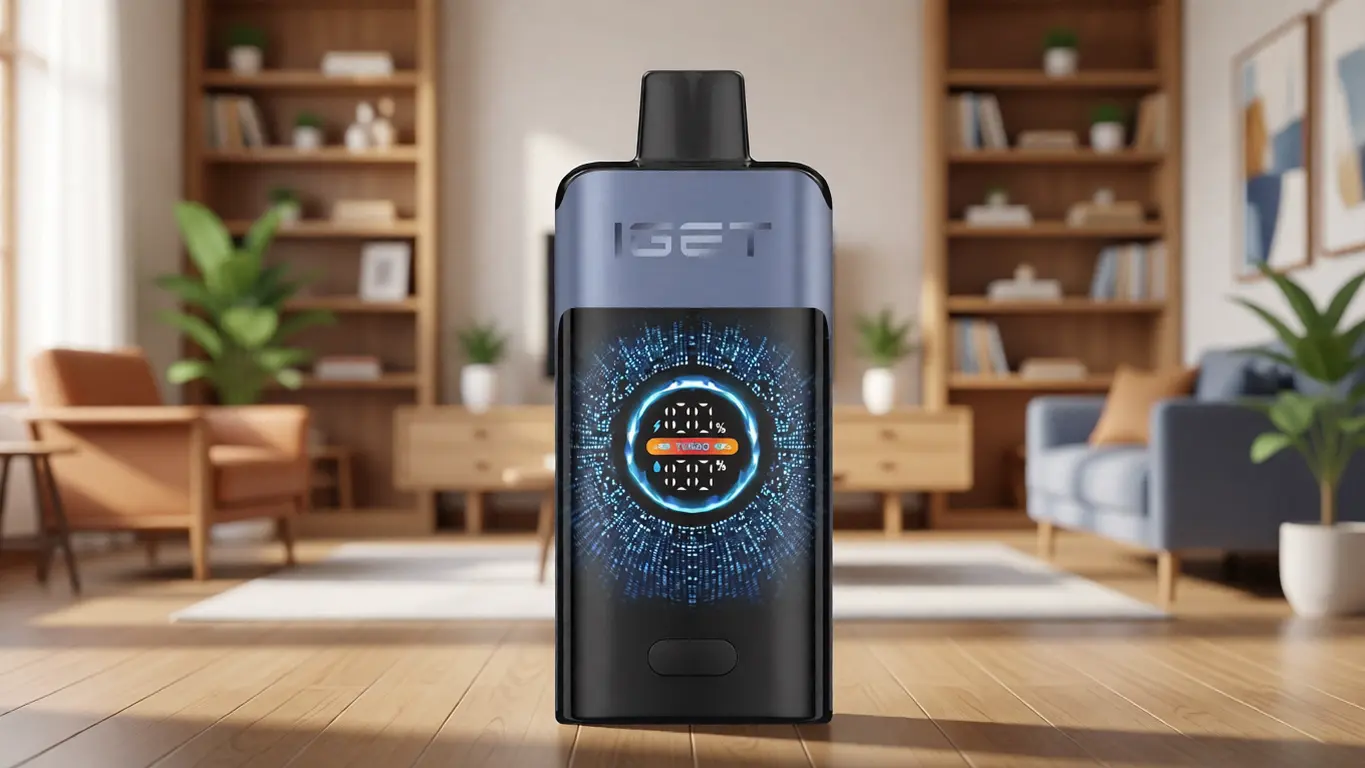
What you should know: Decommissioning the battery module is different from discarding a dead cartridge. The cartridge, once depleted, should be treated as a small sealed unit (often with a minute lithium battery if it contains a self‑contained heating system, though most rely on the external battery). The battery housing requires dedicated e‑waste processing. ALIBARBAR’s rechargeable offerings, such as the Ice Adjust 12000 system, include an integrated screen that displays battery level numerically — a small but genuine advantage when deciding whether it’s time to replace the power unit or simply swap a cartridge.
Removable‑Battery Modular Systems
These are the simplest to decommission responsibly, because the battery cell is a standard, replaceable item that can be charged externally and recycled at end‑of‑life through well‑established battery collection networks. The device housing itself can last indefinitely with proper care, and failure is almost always traceable to a single replaceable component.
The modular approach aligns closely with the lifecycle flexibility that a growing number of adult users now prioritise. It reduces both per‑use cost and environmental friction, and it removes guesswork: when the battery no longer holds a charge, you dispose of the cell, not the entire device.
A Step‑by‑Step Framework for Safe Decommissioning
If you’ve confirmed that a device has truly reached its operational endpoint — the output is consistently diminished, the indicator reports a depleted state, and no reset procedures have helped — the following sequence will help you retire it safely and legally.
Confirm the genuine end‑of‑life state. Attempt one final pull while observing the indicator. If the device fires weakly or blinks immediately, the battery has likely reached its low‑voltage cutoff. If it fires at full strength but stops after a second, the reservoir may be dry while the battery still holds charge — a situation that, in sealed disposables, still means the unit is finished. Do not attempt to recharge a non‑rechargeable device to extract “a few more puffs”; the cell may not be protected for external charging and can enter an unstable state.
Discharge residual energy if safely possible. For devices with a user‑replaceable battery, remove the cell and store it in a non‑conductive container for later recycling. For sealed rechargeable devices without removable batteries, use the device until it no longer powers the heating element at all, then power it off and do not attempt to recharge it again. For sealed disposables, there is no consumer‑safe way to discharge the cell further; the factory‑set cutoff voltage is your final discharge state. Do not attempt to short the connector or pierce the housing.
Protect terminals from accidental contact. If the device has exposed charging contacts or a battery that can be removed but has exposed terminals, cover the terminals with electrical tape. This is standard practice for e‑waste handlers and prevents unintentional shorting during transport.
Locate a suitable e‑waste or battery recycling point. In Australia, lithium‑ion batteries should not be placed in household recycling or general waste bins. State and territory governments maintain battery recycling schemes, and major electronics retailers accept small batteries for recycling without requiring a purchase. The same drop‑off points accept complete sealed devices, though it’s helpful to tape over any accidental‑activation surfaces such as a draw‑activated sensor to avoid vibration‑triggered firing.
Retain documentation of purchase if relevant. If the device failed prematurely, a detailed purchase record from a retailer that maintains serial‑number tracking and factory‑certified sourcing — OZVAPE Shop follows this practice — makes it far simpler to raise a legitimate warranty query. Without traceable provenance, you’re left arguing with an anonymous marketplace seller.
Common Errors People Make When Retiring a Device — and Why the Industry Doesn’t Talk About Them
Industry marketing tends to focus on the moment of purchase, not the moment of disposal. This asymmetry leaves users to figure out decommissioning on their own, and several predictable mistakes recur.
Assuming That “Dead” Means Chemically Inert
The biggest error by far is treating a non‑functional device as if its internal cell holds zero energy. In practice, the low‑voltage cutoff inside any reputable device leaves the cell at 3.0 V or higher. At that voltage, a short circuit can still generate enough current to cause thermal runaway under the wrong conditions. Puncturing, throwing into a fire, or crushing in a bin compactor each provides the mechanical insult that can initiate a dangerous reaction. This isn’t speculation — it’s documented in every lithium‑ion safety white paper published in the last decade.
Discarding Devices That Aren’t Actually Finished
The mirror image of the above: devices get binned because a charging cable failed, because a sensor accumulated pocket debris and stopped responding, or because the user interpreted a steady light as a fault rather than an idle‑state indicator. A quick visual inspection of the charging contacts — cleaning with a dry cotton bud, checking for bent pins — and a brief comparison with the manufacturer’s LED legend resolves many of these cases. Again, devices with unambiguous displays reduce these false positives; a numeric battery percentage leaves no room for creative interpretation.
Assuming Visual Similarity Means Identical Internal Engineering
Two glossy cylindrical devices can sit beside each other on a shelf, yet one will incorporate a calibrated low‑voltage cutoff and the other will use a simple resistive‑divider circuit that allows the cell voltage to drift lower than intended. The consumer has no way to know from external appearance. This is why supply‑chain transparency matters: a retailer that sources exclusively through authorised distribution channels, as OZVAPE Shop has structured its ALIBARBAR programme, can consistently deliver units that conform to the documented safety architecture. When you buy through an unverifiable channel, you gamble on whether the cutoff circuit is present at all.
Undervaluing End‑Of‑Life Signals in the Purchase Decision
Consumers focus heavily on rated puff count or reservoir size and rarely consider how the device will tell them it’s finished. That prioritisation leads to later frustration: a 10,000‑puff device that blinks cryptically at 9,000 puffs and staggers on for another 1,000 inconsistent draws is less satisfying than a 7,000‑puff alternative that gives a clear numerical countdown and stops cleanly. The ALIBARBAR portfolio was designed specifically to address this pain point, and the fact that such a feature even needs to be highlighted says something about how the broader market has normalised ambiguity.
Frequently Asked Questions
Q: Can I just throw a dead disposable vape in the bin?
A: No. In every Australian state and territory, lithium‑ion batteries and devices containing them are classified as e‑waste. They should be taken to a designated battery recycling drop‑off point. Putting them in household bins risks fires at waste facilities and landfills.
Q: How do I know if my ALIBARBAR device has a removable battery?
A: The current ALIBARBAR INGOT and Ice Adjust series are sealed units; the battery is not designed to be removed by the user. The end‑of‑life signal (a clear display indication) tells you when the unit is spent. Once that occurs, recycle the entire device as e‑waste.
Q: What if my device stops working after only half its rated puffs?
A: Premature failure can happen for several reasons: a faulty cell, a damaged sensor, or exposure to extreme temperatures during storage. If you purchased from a retailer that verifies factory provenance, contact them with your order details, and they can assess whether the unit qualifies for a replacement under the manufacturer’s defect policy. OZVAPE Shop maintains records that make this process straightforward.
Q: Is it safe to store a dead device for weeks before recycling?
A: Yes, as long as you store it in a cool, dry place away from flammable materials and metal objects that could short exposed contacts. Keep it out of direct sunlight and never leave it in a vehicle on a hot day.
Q: Do I need to tape the device’s air‑activation hole for recycling?
A: It’s prudent. A draw‑activated sensor can theoretically be triggered by vibration during transport, causing a minute current draw. Taping over the airflow inlet with a small piece of non‑conductive tape removes this remote possibility.
Q: What does a blinking indicator mean on my ALIBARBAR INGOT?
A: The precise pattern varies by model, but in general, a blinking light that appears after the device has stopped producing vapour indicates the battery has reached low‑voltage cutoff — the device is finished. Consult the user guide for the exact blink code; ALIBARBAR uses distinct sequences for different states.
Q: Can I recharge an ALIBARBAR INGOT 9000?
A: The INGOT 9000 is a disposable device with a non‑rechargeable configuration. It does not include a charging port. Attempting to recharge it externally is dangerous and will not extend its rated life.
Q: How do I find an e‑waste drop‑off near me?
A: Visit the Australian government’s Recycling Near You website or check with your local council. Most major electronics retailers also accept small battery‑containing products for free.
Q: Does OZVAPE Shop offer a take‑back or recycling programme?
A: As of this writing, OZVAPE Shop does not operate a physical take‑back facility, but it provides links to accredited recyclers and encourages customers to use existing battery collection networks. The company is actively exploring partnerships to broaden disposal options.
Q: What’s the most important thing I can do right now to avoid disposal problems?
A: Purchase from a verified, authorised source so you know the device has been built to the correct safety specifications. A transparent retailer reduces the likelihood that you’ll end up with a unit that lacks a proper low‑voltage cutoff or gives misleading end‑of‑life signals.
The Informed Choice Is the Safer Choice
The way you retire a small electronic device says more about your understanding of that device than almost any other moment in the ownership cycle. When you know how to read the status signals, recognise the difference between a battery failure and a sensor fault, and dispose of the cell through the proper channels, you’re no longer a passive consumer — you’re an informed user who has extracted every bit of value the product was designed to deliver and then let it go without creating unnecessary risk.
The fact that some devices make this process intuitive while others obscure it behind ambiguous blink codes is not an accident of design. It’s a deliberate engineering choice, and it’s a choice users should evaluate as rigorously as they evaluate capacity or runtime. OZVAPE Shop built its dedicated ALIBARBAR platform precisely because it wanted to connect Australian adults with a family of devices that doesn’t force you to guess, improvise, or carry a spare “just in case.” That same clarity extends from the first puff to the calm moment when the indicator tells you, unambiguously, that the device has done its job. The right choice for you is the one that matches your actual daily rhythm — and that includes the rhythm of knowing when to let go.