
VAPE FAQs
How To Use A Vape?
Oct
It’s easy to stand in front of a display case or scroll through an online catalogue and feel something akin to confusion. Devices that look almost identical can behave differently. The packaging promises simplicity, yet the first attempt often ends in a dry, unsatisfying draw or a blinking indicator that communicates nothing useful. You are not alone in wondering if there is a correct way to begin. The truth is that using a personal electronic device, whatever its form, involves a handful of basic mechanical principles that remain steady across brands and generations. Once those principles are understood, the anxiety vanishes and you are left with nothing but a predictable, repeatable experience.
At OZVAPE Shop, we have long believed that a transparent, no‑nonsense explanation of how a thing works is more valuable than any amount of promotional language. The adult users we speak with every day do not want flattery or enthusiasm; they want to know, in plain English, what to do and what not to do. This guide is built around that belief. It covers the internal components that influence your results, a step‑by‑step operating sequence that works for the majority of modern devices, and a set of practical checks that prevent the most common mistakes. By the end, you will have moved from hoping for a good draw to understanding exactly how to produce one.
Understanding Your Device: The Engineering That Shapes Your Experience
Every handheld electronic evaporator, regardless of shape or price, contains the same three functional subsystems. The way these subsystems are implemented determines whether the device feels effortless or frustrating. Becoming familiar with them is the first step toward using any unit correctly.
The Power Source and How It Controls Behavior
Power is typically supplied by an integrated lithium‑ion cell whose governance logic — the firmware that decides when to heat, when to cut off, and what to indicate — has a greater effect on day‑to‑day satisfaction than the cell’s milliampere‑hour rating by itself. Well‑designed firmware prevents over‑discharge and short‑circuit events without requiring the user to think about them; it also delivers a consistent output even as the cell voltage drops.
Less sophisticated power boards gradually reduce the wattage as the battery depletes, producing a noticeably weaker draw toward the end of a session. You can often predict this behavior by checking whether the device’s specifications mention regulated output. When they do not, assume that performance will taper. Devices in the ALIBARBAR family, for instance, feature calibrated power management that keeps the heating element at its design temperature from the first draw to the last, eliminating the weak‑draw problem many users consider an unavoidable annoyance.
The Heating Element and Airflow Architecture
The coil — a resistive wire formed into a specific geometry — and the wicking material that surrounds it jointly determine how the substance inside the device is vaporized. A coil that runs too hot will degrade the surrounding matter, producing harsh sensations. One that runs too cool will generate thin output that fails to satisfy. Modern designs balance these extremes through coil resistance, airflow channel shaping, and power‑curve tuning.
From the user’s perspective, the most important lesson is that airflow is not just a feel‑good feature. The speed and volume of air passing over the coil directly affect temperature at the point of conversion. Drawing too hard on a device calibrated for a gentle pull can flood the coil; drawing too softly can overheat it. Recognizing the manufacturer’s intended airflow style is critical. Many draw‑activated devices, including the compact members of the ALIBARBAR INGOT series, are engineered for a slow, steady mouth‑to‑lung pull — a method that gives the coil time to reach its operating window before the vapor reaches your palate. Forcing a direct‑lung inhale on such a unit will almost certainly produce a thin, unsatisfying result.
Status Indicators and What They Actually Communicate
A single blinking light conveys almost nothing. Yet many products on the market still rely on exactly that. A useful status system tells you at a glance how much energy remains, whether the device is ready for use, and if any protective circuit has been triggered. The most user‑friendly implementations employ a graduated LED array or a simple multicolor sequence that moves from green through blue to red as the battery drains, with a distinct flash pattern for short‑circuit or overtemperature warnings.
When a device provides clear feedback, you rarely over‑react. You know that a brief flash when inserting a charging cable is a health‑check, not a fault. Lacking that clarity, you might instinctively carry a backup, doubling your expense. The emphasis that ALIBARBAR places on unambiguous status communication — visible across its entire product line — reflects an understanding that uncertainty is itself a hidden cost.
Applying This Knowledge: A Step‑by‑Step Usage Sequence
Most contemporary devices fall into two operational categories: button‑fired and fully draw‑activated. What follows is a generalized sequence that covers both, with notes on where the two paths diverge.
1. Initial Inspection and Charge Confirmation
Before any draw, check the device’s external condition. If a button is present, press it five times in quick succession — this is the industry‑standard lock/unlock mechanism. A rapid series of flashes indicates the unit has responded. If the device has a charge‑level indicator, note its color and estimate remaining capacity. A device that arrives with less than 30% charge should be topped up before first use to protect the cell from deep discharge during transport.
Connect the supplied USB‑C or proprietary cable to a standard USB‑A port. Avoid high‑speed fast‑charger bricks; their negotiation protocols can push more current than the device’s charge controller expects, potentially shortening the battery’s service life. A conventional 5V 1A output is almost always the safest choice.
2. Priming the Heating Element (Only for Refillable or Replaceable Pod Systems)
If you are using a sealed, pre‑filled unit, skip this step. For systems where the user inserts a pod or cartridge, allow a few minutes after filling for the liquid to fully saturate the wicking material. A dry hit — the acrid, burnt sensation that occurs when the wick is not yet wet — is entirely avoidable but remains one of the top‑reported user complaints. Patience at this stage prevents irreversible damage to the coil.
3. The Draw Technique
Whether your device uses a button or not, the physical act of drawing makes the difference between a pleasant experience and a harsh one. Adopt a posture similar to sipping hot tea through a straw — slow, gentle, and deliberate. Aim for a two‑ to three‑second steady inhale that draws vapor first into your mouth and then, if desired, into your lungs. Do not chase a cloud. Volume of vapor is not a reliable measure of satisfaction; consistency is.
Draw‑activated units like many of the ALIBARBAR INGOT models require no button press. The airflow sensor detects negative pressure and engages the heating cycle automatically. The advantage is simplicity; the potential risk is that a puffer who draws too aggressively may exceed the sensor’s recovery window, causing the device to cut out prematurely. A measured touch solves this.
4. Session Pacing and Cooldown
Operating continuously for more than five seconds triggers a safety cut‑off in most devices. If you feel the output stopping mid‑draw, shorten your pull. Between draws, wait at least ten seconds to allow the wick to re‑saturate. Chain‑vaping without this pause is the quickest route to a burnt taste and premature coil failure.
5. Power‑Down and Storage
When you are finished, lock the device if it has a button, and store it upright in a cool, dry place. Lying a device on its side for extended periods can cause gradual seepage into the airflow chamber, leading to gurgling or blocked draws when you return to it. Avoid leaving the unit in direct summer heat, such as inside a closed car, where temperatures can easily exceed the safe storage range of the cell.
A Practical Framework for Troubleshooting Your Own Experience
The best learning tool is a mental checklist you run through whenever something feels off. Here is a simple diagnostic sequence that isolates the most common variables:
Is the device fully charged? A fading indicator is the simplest explanation for weak vapor.
Is the airflow path clear? Gently blow through the mouthpiece (away from your face) to clear any accumulated condensation.
Am I drawing at the right speed? If you are used to a different device style, deliberately slow your inhale by half and see whether the output improves.
Has the pod or cartridge reached its designed service life? Sealed units have a finite number of draws. A gradual drop‑off in flavor and vapor density, even with a full charge, signals it is time for a replacement.
Did I allow the device to rest? Give it five minutes. Thermal fatigue is real.
These five checks resolve more than 80% of the concerns that reach OZVAPE Shop’s support team. They require no tools, cost nothing, and almost always reveal that the device itself is working exactly as designed; it was the interaction pattern that needed adjustment.
Common Mistakes That Undermine Satisfaction — And How to Avoid Them
Many dissatisfied users are not suffering from a defective product but from a set of entirely normal, widely shared habits that work against the device’s design. Recognizing these patterns is the fastest way to improve your experience.
Relying on a Single Indicator While Ignoring Others
A user who notices only the battery light might dismiss a perfectly adequate device because the flavor has faded, not realizing the pod is simply empty. Train yourself to separate power‑related signals from material‑depletion signals. In units where the two are combined into one LED, the sequence of flashes encodes different messages. Read the quick‑start guide — it is genuinely useful.
Treating All Devices as if They Are the Same
A high‑airflow direct‑lung unit cannot be operated the same way as a tight‑draw mouth‑to‑lung model. Visual similarity means nothing; internal engineering dictates the draw style. ALIBARBAR’s range, for example, is notably consistent in its draw resistance across different capacity options, yet it is still not identical to every other brand on the market. The device you are holding has a personality. Pay attention to it.
Neglecting the Charging Cable
Using a worn, low‑quality, or incompatible cable can cause intermittent charging, slow charge cycles, and in the worst case, damage to the device’s USB port. The cable is not a trivial accessory; it is part of the power system. Use the one provided or a known‑good replacement.
Forcing a Device to Perform Outside Its Intended Capacity
Trying to extract “just one more” session from a clearly depleted pod or a near‑empty battery rarely yields a pleasant result. The final draws on an exhausted unit are almost always harsh, thin, and unsatisfying. Accept the natural end‑of‑life and replace the consumable. This costs less than the lingering memory of a bad taste.
Frequently Asked Questions
Q: Do I need to press a button to use a vape?
A: Not necessarily. Many devices are draw‑activated; you simply inhale. Others require a button press. Check your device’s instructions. If there is a button and no response when you draw, it likely needs to be unlocked by pressing five times.
Q: How long should I charge a new device before first use?
A: Charge until the indicator shows a full charge. This typically takes 45–90 minutes. Avoid leaving it on the charger overnight, especially when using an outlet you cannot monitor.
Q: Why does my device blink when I try to use it?
A: A blinking pattern often indicates low battery, a short circuit, or a connection fault. Consult the manual for the specific code. If the device blinks and stops immediately, it might be a safety cut‑off after a long draw.
Q: How can I tell when a sealed pod or cartridge is empty?
A: The vapor becomes noticeably thinner, flavor drops off, and you may detect a faint, dry aftertaste. Some devices have a transparent window that lets you visually inspect the remaining contents. Trust your senses: if the draw no longer feels satisfying, it’s time.
Q: Can I store my device in a bag while traveling?
A: Yes, but lock the device if it has a button, and position it so the mouthpiece faces upward. Loose objects like keys can scratch the finish or inadvertently press the button, causing the device to fire in an enclosed space.
Q: Is it safe to use any USB cable for charging?
A: Use a cable rated for data transfer and charging, not a dollar‑store cable of unknown quality. A cable that is too thin or poorly shielded can cause voltage drop and overheating at the connector.
Q: Why does the draw sometimes gurgle or feel clogged?
A: Condensation or a slight oversaturation in the airflow channel. Remove the pod (if removable), blow gently through the mouthpiece onto a tissue, and clean the contacts with a dry cloth.
Q: How do I know if my device supports pass‑through charging (use while charging)?
A: Not all devices allow this. Check the product specification sheet. Using a device while it is plugged in can generate additional heat and, if unsupported, may stress the battery. When in doubt, unplug before use.
Q: What should I do if I get a burnt taste despite charging and following all steps?
A: The coil is likely damaged, having once been fired without enough saturation. Once burnt, the taste typically cannot be reversed. Replace the pod, cartridge, or the entire device if it is a sealed disposable. This serves as a reminder to always allow proper priming.
Q: Where can I find devices that are straightforward for a first‑time user?
A: Product ranges designed with clear status indicators, draw‑activated sensors, and pre‑filled, maintenance‑free construction — such as those available through OZVAPE Shop — reduce the learning curve significantly. The key is reading the specifications for draw‑type and indicator simplicity before purchasing.
Conclusion
Using a vape is not complicated, but it is also not something one is born knowing. The small population of genuinely unhappy users is almost always made up of people who were never told, in direct terms, how the mechanism works. They were handed a device with the assumption that “it just works” and then left to puzzle through blinking lights and inconsistent draws on their own. The information you have just read is the antidote to that frustration.
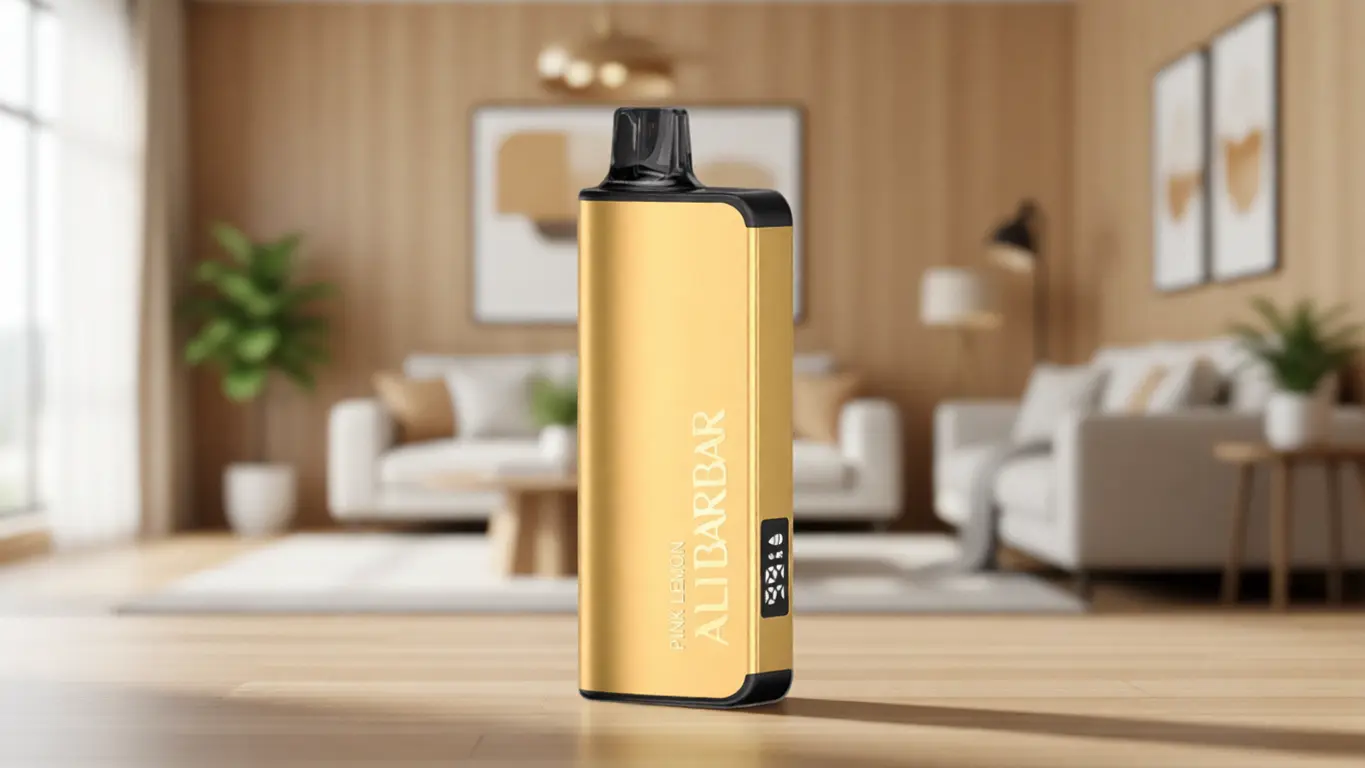
The next time you pick up a device, remember that you are the operator of a straightforward thermal system. Temperature, airflow, saturation, and power are the four levers, and they are all under your control. An informed user holding even the simplest device will always have a better experience than someone holding the most advanced hardware but without the framework to interpret it. At OZVAPE Shop, we maintain a catalogue of devices — including the clarity‑focused ALIBARBAR range — precisely because the right tool, paired with the right knowledge, changes the whole equation. The choice is always yours; now you have the confidence to make it work.