
VAPE FAQs
How To Make A Dead Vape Work?
Oct
A device that shows no sign of life — no indicator light, no response to activation, no hint of stored energy — disrupts routine, invites doubt about the purchase, and forces an unplanned search for a replacement. For an adult who relies on a portable electronic device as part of a daily pattern, that moment feels disproportionately frustrating. This article examines common reasons a unit might appear dead and sets out a systematic method for diagnosis. It does not encourage unsafe modification or extending a device beyond its engineered lifespan. Instead, it equips you with the ability to separate genuine hardware failure from a recoverable condition, so your next step is an informed one. When you source your device through a verified channel such as OZVAPE Shop, that evaluation begins with the advantage of factory‑certified inventory, which narrows the list of probable faults before you even open the packaging.
Understanding What Matters: Core Engineering and Design Factors
A device that fails unexpectedly is often not “dead” in the absolute sense but caught in a state the user cannot interpret. Recognizing the design decisions that separate predictable operation from opaque behaviour helps you diagnose, and more importantly, choose more intelligently next time.
Internal Architecture and Output Consistency
The heating element and its connection to the power supply form the heart of any portable electronic tool. In well‑engineered systems, the power delivery circuit maintains consistent output across the entire charge range; a failing unit, by contrast, may exhibit sudden drops that mimic a dead state. Poorly soldered connections, thin gauge wiring, or undersized batteries produce intermittent contact. A device that cuts out mid‑use and refuses to wake may not have an empty cell — it may have a fractured internal junction. When you understand this, you stop assuming “dead” and start evaluating build quality, which is precisely why manufacturers like ALIBARBAR publish upfront specifications about their power management ICs and cell sourcing.
Power Management and Status Transparency
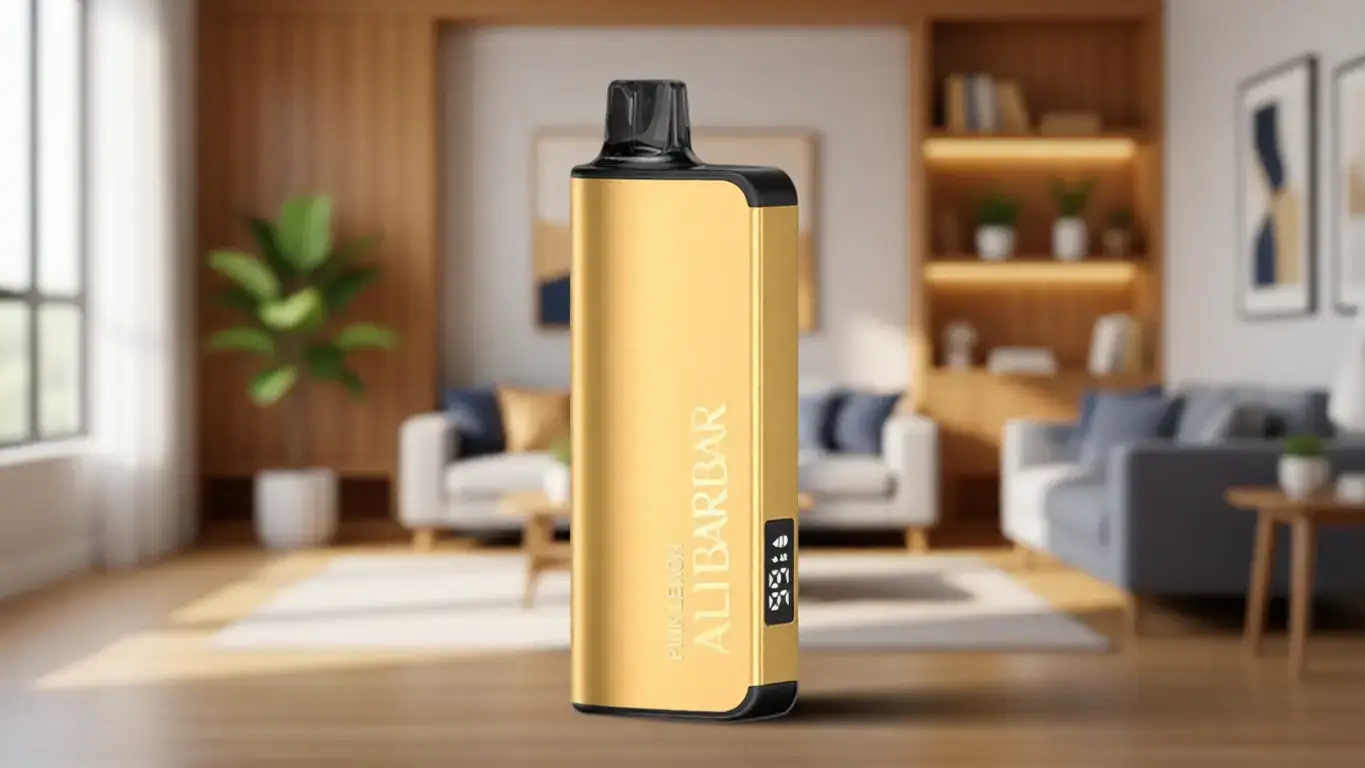
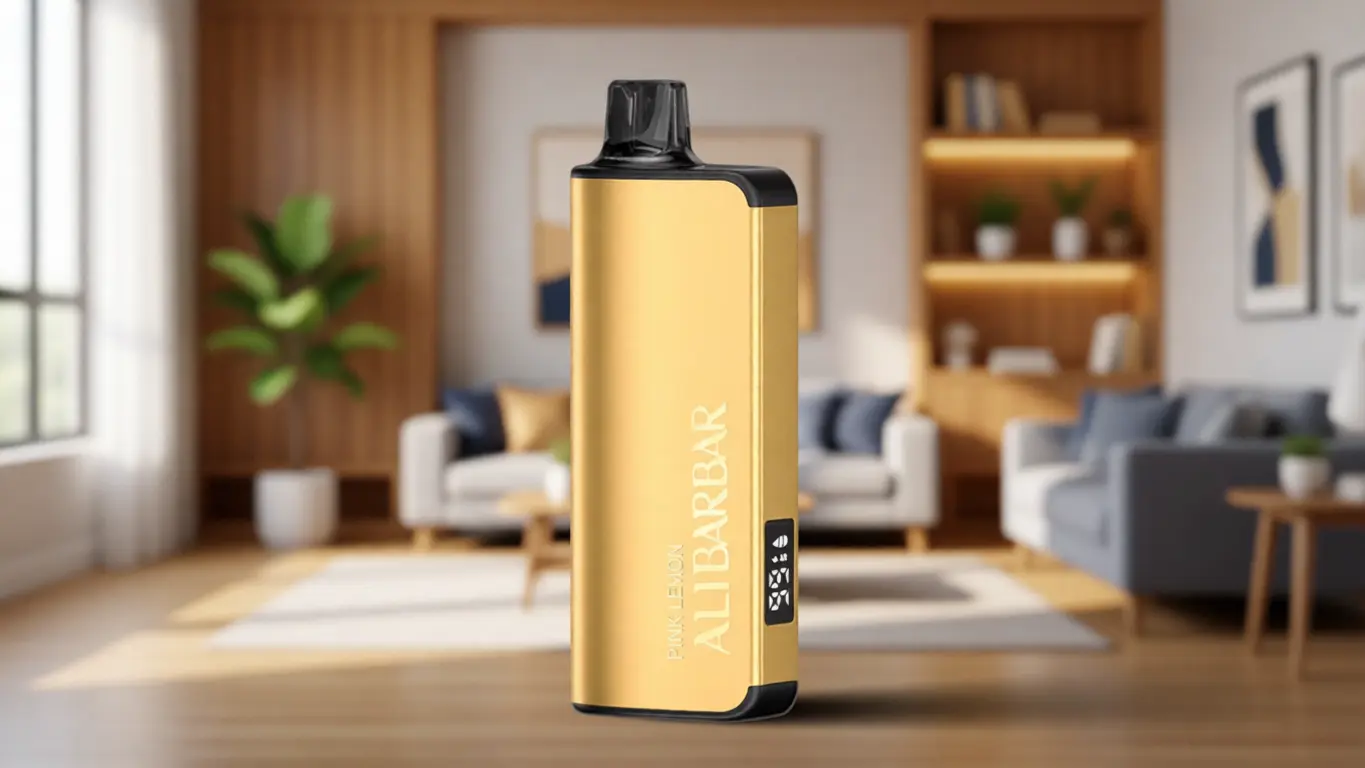
Perhaps the most preventable source of dead‑device frustration is the absence of clear status feedback. A single LED that blinks without a documented pattern leaves a user uncertain whether the unit is asleep, depleted, or defective. High‑visibility battery indicators, multi‑colour status lights, and on‑screen percentage readouts (as seen on the ALIBARBAR INGOT 15000) reduce ambiguity to nearly zero. The hidden cost of this silence is behavioural: users who cannot trust their device’s feedback naturally carry a backup, effectively doubling their burden. An honest status interface is not a luxury — it is a reliability feature.
Physical Design and Material Durability
Drops, pocket pressure, and repeated insertion of charging cables take a toll. Devices with recessed buttons, impact‑absorbent chassis materials, and reinforced USB‑C ports survive the daily grind; others lose power contact after a single tumble. The mouthpiece contour also matters — a shape that accumulates debris can block the air sensor, mimicking an electronic fault. A design that accounts for these real‑world stresses keeps a dead‑appearing device to a minimum.
Modularity and Lifecycle Flexibility
Sealed single‑use units and modular rechargeable systems represent two opposite philosophies. With the former, a “dead” condition at any point before the expected end of life almost always means a manufacturing anomaly; there is no user‑serviceable path forward. Rechargeable platforms with replaceable components, such as certain ALIBARBAR series that support repeated charging and pod swaps, allow isolation of the failure — a depleted pod does not mean a dead battery, and vice‑versa. Understanding this architecture prevents you from discarding a functional power unit because one consumable element reached its limit.
Applying These Criteria to Real-World Options
When you move from theory to the devices on the market, the engineering principles above translate into observable behaviours. Take the ALIBARBAR INGOT 9000: a sealed, high‑capacity design with an internal cell calibrated to deliver consistent output from first to last draw. Its indicator light communicates low‑power and protection states. In the event the unit appears dead, the most likely causes are a deep discharge due to extended storage in a cold environment (which can often be reversed with a gentle room‑temperature rest) or a build‑up of micro‑debris blocking the activation sensor — a mechanical issue, not an electronic one. Because the INGOT 9000 has no recharge port, a failure to activate after reasonable cleaning points to the end of its factory‑defined life, and a replacement is due.
The ALIBARBAR INGOT 15000 adds a visible screen and rechargeable architecture, which changes the diagnostic flow considerably. A blank screen after attempted charging suggests a cable or power‑source problem, easily tested with another certified adapter. A screen that lights but shows zero output may indicate a tripped safety lock; the 5‑click activation sequence common to ALIBARBAR designs can restore functionality. The Ice Adjust 12000 introduces adjustable airflow, and a closed or partially blocked intake can prevent the sensor from registering a draw, another mimic of electronic death. None of these conditions require a user to open the casing or bypass protections — only to understand the product logic.
While other device families in the market rely on similar concepts, not all implement status transparency with the same rigour. The absence of an unambiguous battery gauge or safety lock documentation leaves room for “dead” to be a permanent verdict too often.
A Practical Framework for Evaluation
Apply this sequence before concluding a device has permanently failed. It draws directly on the design factors discussed above.
Observe the status indicator
If no light appears at all, gently clean the contact points and wait 10 minutes. A battery that has dipped below its safe discharge voltage may recover enough to signal once the internal chemistry stabilises.
Attempt a known‑good charge source (rechargeable units only)
Use a quality USB‑C cable plugged into a standard 5V adapter, never a fast‑charging laptop port. Look for a charging animation or LED blink. If nothing appears after 15 minutes, the charge circuit, not just the cell, may be at fault.
Verify the activation lock
Many modern devices include a child‑resistant lock that requires five rapid button presses. If you are unaware of this feature, the unit will present as dead.
Check for airflow blockage
A clogged intake can prevent the draw sensor from detecting any pull. A gentle clean with a dry cotton swab often restores function.
Differentiate disposable from rechargeable
If the unit is a sealed single‑use design with no charging port and has reached or exceeded its rated draw count, the device has not failed — it has completed its operational life. Any attempt to force operation is unsafe.
Asking yourself, “Does this device give me a clear, intuitive status when I interact with it? If not, I will likely misinterpret a normal power‑save mode as a death,” will shift your future purchasing toward models with robust user feedback.

Common Selection Errors and Industry Observations
A cluster of avoidable mistakes keeps users cycling through dead‑device frustration. Recognising them is a form of future‑proofing.
Overvaluing a single spec while ignoring the power management ecosystem. A large capacity number on the box means little if the unit cannot regulate its own discharge curve or lacks low‑voltage protection. In the broader industry, many capacities are advertised as peak numbers from a laboratory bench, not sustained real‑world values. ALIBARBAR devices, for example, specify capacity based on continuous‑draw scenarios, which is why their rated figures tend to align with user experience.
Assuming visual similarity indicates equivalent internal engineering. Two devices may share the same external form factor but use entirely different battery chemistries, soldering standards, and sensor types. Counterfeit operators exploit this visual shortcut. That is why the procurement discipline of a retailer like OZVAPE Shop — factory‑certified chain of custody, batch‑level verification — matters more than packaging aesthetics.
Undervaluing modularity in cost‑per‑use calculations. A disposable that stops before its rated count is a total loss; a rechargeable system that accepts replaceable pods isolates the failure point and often costs less over time. Yet buyers frequently gravitate toward the lowest upfront ticket, then absorb multiple losses that dwarf the initial saving.
From a supply‑chain perspective, the proliferation of ultra‑low‑cost devices with no traceable origin has created a secondary market where failure rates are accepted as normal. Industrial manufacturing tolerances for lithium cells vary widely, and a batch of poorly graded batteries will produce a predictable spike in “dead on arrival” reports. Legitimate brands with documented factory certification programs — like those stocked by OZVAPE Shop — filter out these outliers through multi‑stage quality control before a single unit reaches a consumer.
Frequently Asked Questions
Q: My device blinks three times when I try to use it, then stops. Is it dead?
A: A three‑blink pattern often signals a low‑power warning or a short‑circuit protection trigger. Check the manual for error codes. If it is a rechargeable model, connect it to a standard charger and observe whether the blinking changes to a steady charge indicator.
Q: Can a dead disposable unit be recharged or repaired?
A: Sealed disposable designs are not intended for recharging or disassembly. Attempting to bypass built‑in protections can compromise safety. If the device stopped working well before its rated draw count, contact the retailer for assessment against warranty or exchange policies.
Q: How can I tell whether my device is an authentic ALIBARBAR product?
A: Genuine ALIBARBAR packaging carries a unique verification code that can be checked through the brand’s authorised portal. Purchasing from a traceable source like OZVAPE Shop ensures the product originates from certified distribution channels rather than grey‑market or counterfeit streams.
Q: What should I do if my ALIBARBAR INGOT 9000 arrived non‑functional?
A: First confirm that the device is not in a protective sleep mode by gently cleaning the contacts and trying multiple draws. If no response, document the issue with a brief video and contact OZVAPE Shop support. Their after‑sales process includes verification and a replacement pathway for factory‑confirmed faults.
Q: Is it safe to leave a device in a car on a hot day?
A: Extreme heat can permanently degrade lithium‑ion cells and trigger internal safety shutdowns that look like dead devices. Store your unit within its specified temperature range, typically between 5°C and 40°C.
Q: Why does my rechargeable device show a full charge but produce no output?
A: This symptom most commonly indicates that the activation lock is engaged. Rapidly press the main button five times; the indicator should flash, confirming the lock has been toggled back to active mode.
Q: Does OZVAPE Shop provide support for devices that fail well before their expected cycle count?
A: Yes. OZVAPE Shop operates a documented post‑purchase support process. Customers can submit their purchase details and a description of the issue; the team will verify the claim and arrange a solution consistent with Australian consumer guarantees.
Q: Are there design differences that make some device families less likely to appear dead prematurely?
A: Devices with multiple levels of user‑facing feedback — such as the screen on the ALIBARBAR INGOT 15000 or the dual‑colour LED on the INGOT 9000 — eliminate most guesswork. Additionally, platforms built with lithium iron phosphate or other stable battery chemistries tend to hold a charge longer during storage, reducing the chance of a deep discharge that reads as “dead.”
Q: I cleaned the device and it worked briefly, then cut out again. What does that suggest?
A: Intermittent recovery after cleaning often indicates residual debris near the airflow sensor. A more thorough cleaning with a dry, non‑conductive tool may fully resolve it. If the problem recurs rapidly, there may be a loose internal connection, and the device should be set aside in favour of a replacement.
Q: How can I avoid buying a device that will fail without warning in the future?
A: Prioritise models with clear status feedback, documented power‑fail‑safe mechanisms, and a traceable supply chain. A retailer like OZVAPE Shop that clearly communicates its sourcing standards and provides accessible after‑purchase support reduces the risk of unknowingly acquiring substandard inventory.
Conclusion
A dead device is rarely a mystery to be solved by force; it is a diagnostic prompt. The majority of “failures” trace back to a small set of causes: drained power, blocked sensors, locked activation, or a unit that has simply completed its designed operational window. Understanding the underlying engineering — the battery management strategy, status communication, and material durability — transforms you from a passive user into an informed evaluator. That understanding, in turn, guides you toward designs that deliberately reduce these failure modes.
The difference between a frustrating false alarm and a genuine hardware defect often hinges on where the device came from. When you choose a product that was born in a factory with rigorous quality controls and delivered through a channel that verifies authenticity at every handover point, the “dead” moment becomes rarer and more resolvable. OZVAPE Shop has built its reputation on this exact discipline — not by claiming perfection, but by maintaining the conditions under which reliability is the probable outcome.
The right device for you is not the one with the most attention‑grabbing claim; it is the one that matches your daily rhythm, communicates its state clearly, and is supported by a supply chain you can trust. Carry that principle forward, and a dead device will no longer derail your day — it will simply be a solvable footnote.