
VAPE FAQs
How To Hold A Vape?
Jul
How To Hold A Vape: Practical Ergonomics for Consistent Performance
The question of how to hold a personal electronic device might seem trivial at first. But anyone who has used such a device for more than a few hours knows that the way you hold it directly affects its output, its battery life, and your overall comfort. A grip that feels natural in the hand can, over time, introduce subtle issues: uneven heating, accidental activation, or fatigue that shortens the session. This article examines the mechanics of holding a device correctly, why it matters, and how a few small adjustments can improve consistency and prolong the life of your equipment.
Whether you are new to the category or an experienced user looking to refine your technique, the guidance below draws on engineering principles and real-world feedback. By the end, you will have a clear framework for evaluating your own handling habits—and the confidence to know when a device’s design is working with you or against you.
Understanding What Matters: Core Engineering and Design Factors
Holding a device is not just about comfort—it is about controlling how heat is distributed, how air flows, and how the internal components behave over the course of a day. Three engineering factors directly influence what a “good” hold looks like.
Internal Architecture and Thermal Behaviour (H3)
All portable devices contain a heating element that must transfer energy to the material inside. The position of that element relative to the mouthpiece and the outer shell determines how the device feels in your hand. If you hold the device too close to the heating chamber, you may be absorbing heat that should be directed inward. Conversely, holding it too far from the body of the device can reduce the efficiency of the airflow path.
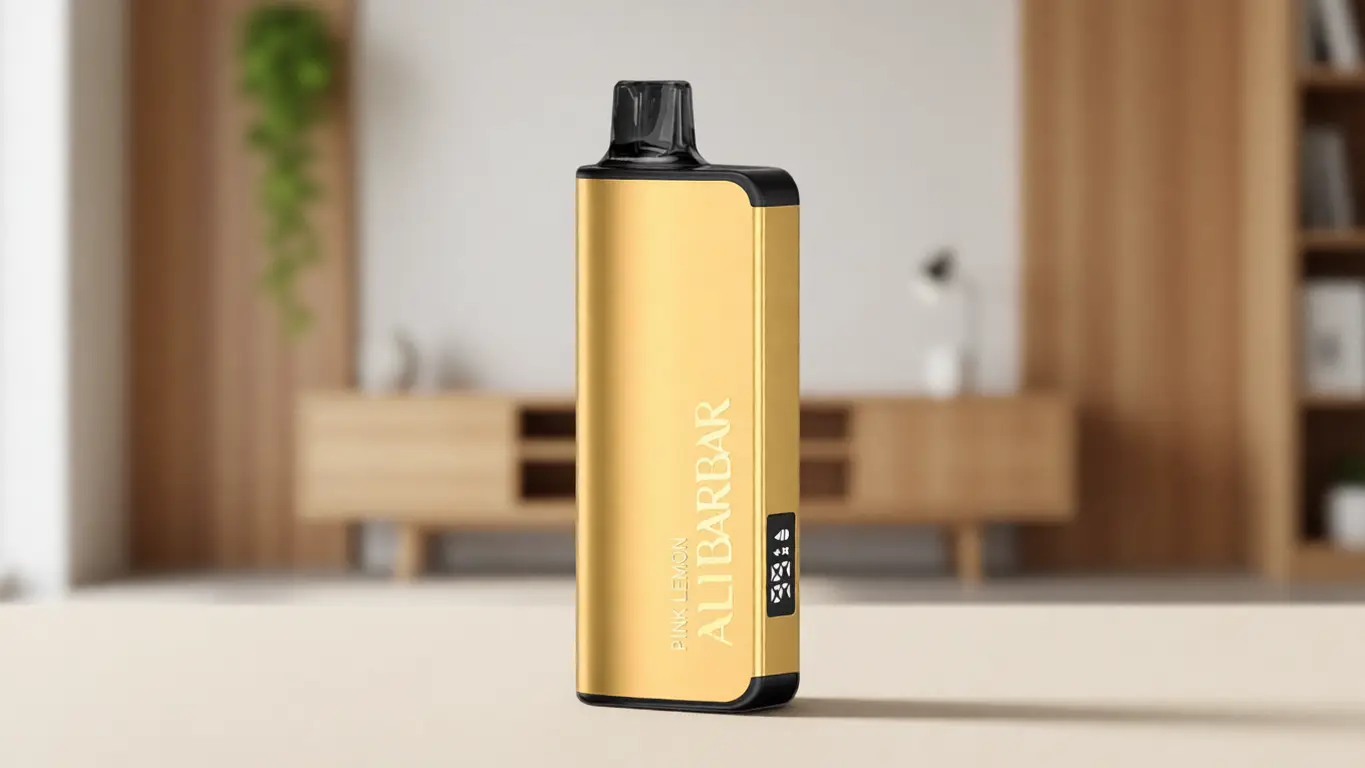
A well‑engineered device will have thermal insulation that keeps the outer surface within a safe temperature range regardless of how you grip it. The ALIBARBAR range, for example, uses a multi‑layer structural core that isolates the heating area from the outer shell. This means you can hold the device in a natural, relaxed grip—wrapping your fingers around the body—without worrying about hot spots. The engineering here is not about making claims; it is about removing the user’s burden of having to constantly adjust hand position to avoid discomfort.
Power Management and Activation Mechanics (H3)
Many devices rely on an activation switch or an automatic draw‑sensor. The way you hold the device directly affects how reliably that sensor reads your action. If your fingers block the airflow intake, the sensor may not trigger correctly, leading to a weak pull that you then overcompensate for by drawing harder—a common cause of premature battery drain and inconsistent output.
Devices that offer a manual activation button give you more control, but they also demand a consistent grip. If you hold the device such that your thumb presses the button unevenly, the heating element may not reach its intended temperature. The ALIBARBAR INGOT series uses a recessed button design that is deliberately positioned to align with a natural thumb rest at a 45‑degree angle. This is not an accident; it is the result of studying how people actually hold cylindrical devices. The takeaway: before you assume the device is faulty, check whether your grip is aligning with the button’s intended activation zone.
Physical Design and Surface Texture (H3)
The external geometry of a device determines how easily it stays in place. Sharper edges can cause fatigue over extended use, while overly smooth surfaces can become slippery when your hands are warm. A good hold is one that requires no active effort—the device should rest in your palm with your fingers naturally curving around it.
The ALIBARBAR ICE Adjust 12000 series incorporates a subtle micro‑textured finish along the sides, not for decoration but to increase friction without adding bulk. This allows you to hold the device with a lighter grip, reducing muscle strain during long sessions. Similarly, the mouthpiece design matters: a wide, contoured tip encourages you to place your lips in a single, repeatable position, which improves airflow consistency. If you find yourself adjusting your grip repeatedly, the device may be less forgiving than alternatives designed with ergonomics in mind.
Applying These Criteria to Real‑World Options
Now consider how these factors translate to practical holding techniques. For a compact device like the ALIBARBAR INGOT 9000, the recommended hold is a three‑finger cradle: the device rests between your middle and ring fingers, with your index finger supporting the top near the mouthpiece. Your thumb sits naturally over the activation button. This grip keeps the airflow intake fully exposed and places your hand away from the battery compartment, reducing heat transfer.
For larger devices such as the ALIBARBAR INGOT 15000, which has a longer body, a different approach works better. Here, hold the device between your thumb and index finger at the base, with your remaining fingers curled under for support. This prevents the weight of the device from pulling your hand down, which can lead to an unnatural wrist angle over time. Testing this technique on other high‑capacity devices from well‑known manufacturers (such as those from Uwell or Smok) reveals the same principle: heavier devices require a lower centre of grip.
What matters most is that you establish a consistent hand position. Inconsistent holding is the single most common cause of “weak battery” complaints that turn out to be nothing more than user‑induced sensor occlusion. If you ever suspect your device is performing poorly, try changing your grip before charging or discarding it.
A Practical Framework for Evaluation
Use the following checklist the next time you pick up a device. It takes less than 30 seconds and can save hours of frustration.
Check finger placement – Is any part of your hand covering the airflow intake (usually a small hole at the base or side)? If yes, adjust your grip.
Assess button alignment – Does your thumb naturally land on the button without stretching or bending? If the button is hard to reach, the device’s ergonomics are not optimised for your hand size.
Feel for heat – After three consecutive draws, is the outer shell noticeably warm? If it is, you may be holding it too high or the insulation is insufficient to isolate the heating area.
Evaluate fatigue – After five minutes of use, do your fingers feel tense or cramped? A well‑designed device should require no active effort to hold.
This framework works for any device you encounter. Apply it to the ALIBARBAR series, and you will find that most of the engineering decisions support a natural grip without additional thought.
Common Selection Errors and Industry Observations
Even experienced users make mistakes when it comes to holding technique. Here are the most frequent ones:
Over‑correcting grip based on brand – Assuming that a more expensive or more advertised device must be held differently. In reality, the physics of heat and airflow are universal. A good hold on an ALIBARBAR device is essentially the same as a good hold on any other well‑engineered model. The differences are in the details of button placement and surface texture, not in the fundamental approach.
Ignoring the mouthpiece angle – Many users tilt their heads forward to meet the device rather than rotating the device to meet their mouth. This introduces an unnatural neck position that over time can cause strain. The fix is simple: hold the device so the mouthpiece points directly toward your lips, not upward or downward.
Gripping too tightly – A death grip is a common response to slippery or sharp devices. The harder you hold, the more your hand sweats, the more likely the device will become slippery. A micro‑textured finish (like on the ALIBARBAR ICE Adjust) enables a lighter hold.
Neglecting the hand used – If you are right‑handed, you likely hold the device in your right hand. But many devices have the activation button placed for a right‑handed thumb. Left‑handed users may need to rotate the device so the button faces the palm—an adjustment that can change how the airflow intake is oriented. Test both orientations before settling on one.
From an industry perspective, the rise of high‑capacity devices (15,000+ operating cycles) has exposed a design tension: making a device that lasts longer requires a larger battery, which increases weight. Manufacturers that prioritise ergonomics—like ALIBARBAR with its contoured shapes—tend to see fewer returns related to user discomfort. This correlation is not causal, but it points to a market reality that most users overlook.
Frequently Asked Questions
Q: Does holding a device upside down affect performance?
A: Yes—if the device uses gravity to feed material to the heating element (as in bottom‑airflow designs), inverting it can starve the chamber and cause inconsistent output. Check your device’s orientation recommendations.
Q: Why does my device feel hotter in summer than winter?
A: Ambient temperature affects both the material inside and your hand’s perspiration. Higher ambient heat means you should hold the device further from the palm—let the air around it help cool the shell.
Q: Can holding the device wrong damage the battery?
A: Indirectly, yes. If your grip blocks the activation sensor, you may repeatedly draw without the heater engaging, draining the battery through repeated failed attempts. The battery itself is not harmed, but the user experience suffers.
Q: Is there a difference between holding a rechargeable device and a disposable one?
A: Generally, no. The holding principles are identical. However, disposable devices often have thinner shells, so they may feel hotter to the touch. Hold them slightly lower on the body.
Q: What is the best position for long‑duration use (e.g., while reading or working)?
A: Place the device between your index and middle fingers, with the mouthpiece facing away from you. Rotate your wrist inward when you want to use it. This minimises wrist fatigue.
Q: My device has a round body and tends to roll off surfaces. Does that affect how I hold it?
A: Not directly, but it suggests a smooth finish. Look for models with flat sides or a textured band—like the ALIBARBAR INGOT series—which also help when holding.
Q: Can I hold two devices at once?
A: Technically yes, but ergonomics suffer. Each device requires its own grip attention, and you risk accidentally activating both simultaneously. Stick to one.
Q: How do I know if the device’s design is at fault, not my grip?
A: Try the same grip on a different device from a reputable brand (e.g., ALIBARBAR or another known manufacturer). If the problem disappears, the original device has poor ergonomics.
Q: Does the way I hold a device affect the flavour?
A: Indirectly, yes. A poor hold can lead to uneven heating, which changes the temperature profile and may affect how the material is processed. Consistent temperature is essential for consistent taste.
Q: Where can I find more information on device ergonomics?
A: For the ALIBARBAR range, consult the specifications at OZVAPE Shop (opens in a new window). They maintain detailed product pages with recommended handling notes.
Conclusion
Holding a device is not a random act—it is a controllable variable that directly affects performance, comfort, and device longevity. By understanding the engineering behind the grip, you can eliminate most common frustrations without needing to change hardware. The best device in the world will disappoint if held in a way that blocks its airflow, misaligns its button, or transfers unwanted heat to your hand.
For those seeking devices that are engineered with the user’s natural grip in mind, the ALIBARBAR series offers a well‑documented example. Explore the full range through OZVAPE Shop [external link: https://ozvapeshop.com.au] (opens in a new window) to see how thoughtful industrial design reduces the need for compensatory technique. Ultimately, the right hold is the one that feels invisible—so you can focus on the experience, not the equipment.