
VAPE FAQs
How To Charge Ripple Vape Without Charger?
Sep
It’s a familiar moment of minor crisis: your device indicates it has no remaining charge, and the original cable or power adapter is somewhere you are not. The immediate instinct is to search for a workaround — a random USB cable in a drawer, a laptop port, a phone charger. But before you connect anything, you need to understand what you are actually plugging into, because the cost of getting this wrong can be a ruined device or, worse, a lithium cell that enters thermal runaway.
At OZVAPE Shop, we see this scenario play out regularly. The same question arrives in support tickets and casual enquiries: “Can I charge my Ripple vape without its original charger?” The short answer is that it depends entirely on the engineering inside the device, and not at all on guesswork. This article unpacks what every user should know before improvising a charging solution — not just for one brand, but as a skill that applies across the spectrum of portable electronic devices.
Understanding What Matters: Core Engineering and Design Factors for Alternative Charging
Charging a device isn’t simply about delivering five volts to a pair of metal contacts. There is a negotiation that happens — or should happen — between the power source, the cable, and the battery management system inside the device. When you bypass the manufacturer’s recommended setup, you’re betting that your substitute equipment handles that negotiation as competently as the original. Understanding the following factors turns that bet into a calculated decision.
Battery Chemistry and Internal Protection
Most modern rechargeable vape devices, including the Ripple series that supports recharging, use cylindrical lithium‑ion cells with a nominal voltage of 3.6–3.7 V. These cells require a precise constant‑current/constant‑voltage (CC/CV) charging profile. The protection circuit module (PCM) on the cell or on the device’s mainboard is the last line of defence against overvoltage, undervoltage, and excessive current.
When you use an untested cable and power source, you are implicitly trusting that the device’s PCM is robust enough to handle whatever that source delivers. A loose USB‑A port in a budget wall adapter can introduce ripple voltage that the PCM must filter out. If the device is designed to draw 500 mA but the source can deliver 2.4 A without proper negotiation, the PCM must act as a governor. Not all PCMs are equally diligent, and the more frequently they are forced to intervene, the more stress accumulates on a component that, once degraded, can fail silently — meaning the next charging session could be the last one the battery sees before damage occurs.
Charging Circuitry and Communication Protocols
Devices that charge via USB‑C can follow widely different behaviour depending on whether they implement USB Power Delivery (PD) or rely on simpler USB Battery Charging 1.2 (BC1.2) detection. A genuine USB‑C charger with PD will attempt a handshake: it sends a query, the device responds, and only then is a voltage higher than 5 V supplied. A device that lacks PD controllers will simply not respond, and a compliant charger should fall back to 5 V at safe default current.
The hazard lies in non‑compliant chargers or cables that short certain configuration channel (CC) pins, tricking the device into thinking it is connected to a high‑power source. Cheap USB‑C cables with incorrect resistor values have been documented to cause overvoltage delivery, which the device’s protection may not catch in time. If you have misplaced the original charging cable, the safest substitute is a USB‑IF certified cable connected to a reputable USB‑A port (which is incapable of PD negotiation) rather than a random USB‑C fast charger.
Port Design and Mechanical Durability
The physical charging port is a wear component. Devices with recessed USB‑C sockets often accumulate pocket lint, which compacts with each insertion and can prevent the cable from seating fully. A bad connection not only interrupts charging but can also generate heat at the contact point. In the absence of the original cable, which was probably fitted with a connector that mates snugly with the device’s port, a loose connection from a thinner aftermarket plug can worsen this effect over multiple cycles.
If you intend to charge without the original charger, at minimum inspect the port for debris and ensure the substitute cable clicks positively into place with no lateral wobble. The tactile feedback of a solid connection is a surprisingly reliable proxy for electrical stability.
Modularity and Battery Access
A small subset of devices feature removable batteries that can be charged in an external bay charger — the kind used by photographers and flashlight enthusiasts. If your device has a threaded battery cap or magnetic door that reveals a bare 18650 or 18350 cell, you don’t need the original charger at all; you need an independent lithium‑ion charger with CC/CV logic. This completely sidesteps the device’s internal charging circuitry and places the responsibility on a dedicated charger, which is almost always a safer path. If your device is a sealed unit (as most pod‑style and disposable‑style rechargeables are), this option doesn’t exist, and you’re back to relying on the internal circuit.
Applying These Criteria to Real‑World Devices
The Ripple vape range includes models with a built‑in USB‑C charging port. In these units, the charging circuit resides on a small PCB adjacent to the battery. The port itself is a surface‑mounted component with four through‑hole anchors for mechanical stability. From a design standpoint, it is a standard USB‑C sink device, meaning it expects to be connected to a standard downstream‑facing port (SDP) or a dedicated charging port (DCP). It does not need a proprietary communication chip to begin charging; a compliant 5 V source and a functional USB‑C cable are all that is technically required.
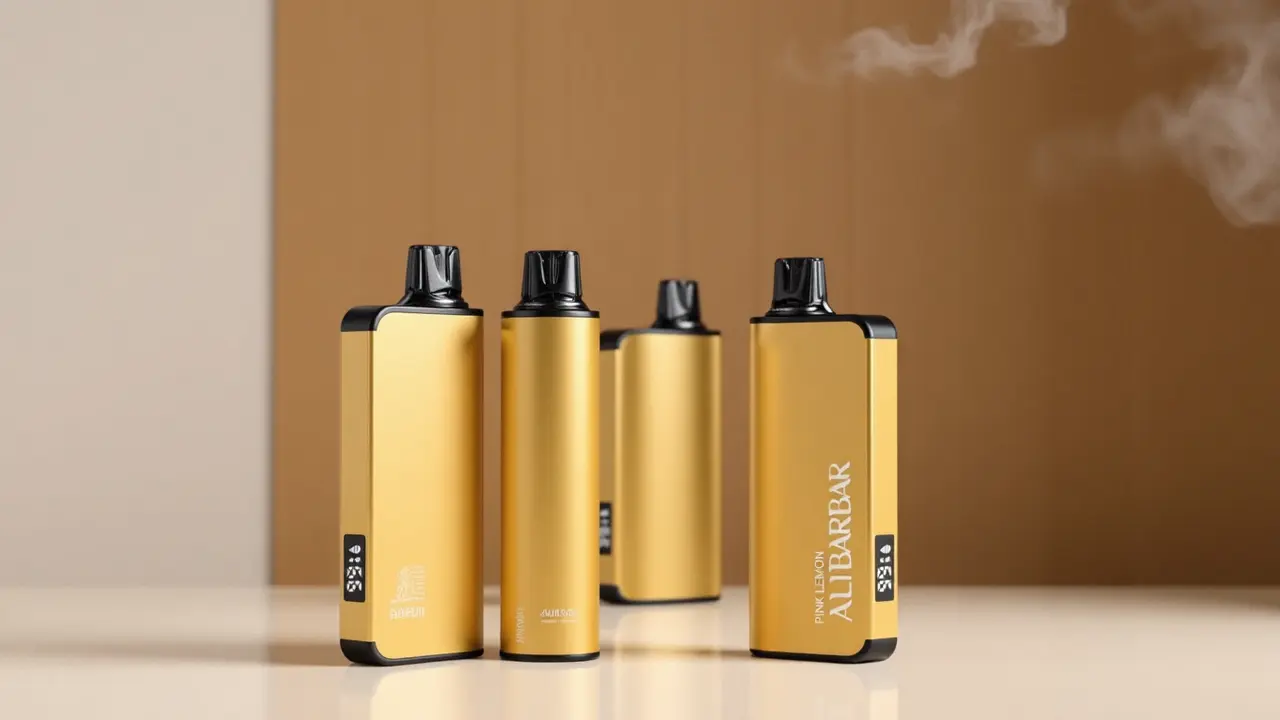
By comparison, other device families that follow similar engineering logic, such as the ALIBARBAR INGOT series available through OZVAPE Shop, use the same USB‑C sink topology but often supplement it with clear LED‑based charging status indicators — a green‑to‑red transition or a pulsing light that stops when the charge is complete. These indicators give the user a straightforward way to verify that the alternative power source is being accepted and that charging has terminated correctly. A device that merely shows a static light when plugged in, without distinct charge‑complete signalling, leaves the user uncertain whether the battery ever stopped drawing current.
When faced with a Ripple device and no original charger, you should therefore evaluate it against a simple litmus test: does the device, when connected to a known‑good USB‑A port via a certified cable, draw current smoothly and provide clear state feedback? If a device cannot pass that test, the risk of using an improvised setup rises sharply.
A Practical Framework for Evaluating Your Charging Alternatives
Before you plug anything in, walk through this sequence of checks:
Identify the port type. Is it USB‑C, Micro‑USB, or a proprietary magnetic connector? Proprietary connectors are the highest‑risk category for improvisation because third‑party cables rarely replicate the exact pin spacing and charge negotiation.
Inspect the port for debris. Use a non‑conductive pick and a bright light. A single compacted fibre can prevent full insertion.
Source a known‑compliant cable. A USB‑IF certified USB‑C to USB‑A cable is the most universally safe fallback. Avoid cables with any visible kinks or corrosion on the connector pins.
Choose a conservative power source. A USB‑A port on a desktop computer, a battery bank with a 1 A output, or an older wall adapter rated for 5 V 1 A. Fast‑charge bricks should be the last resort unless the device documentation explicitly confirms compatibility.
Monitor the first five minutes. With the device resting on a non‑flammable surface, feel the body near the port. Warmth is normal; rapid heating to the point of discomfort is a shutdown trigger.
Observe the indicator behaviour. If the charging light does not behave as described in the original user manual — for example, it never changes colour, or it turns off prematurely — disconnect and reassess. A silent failure can be worse than no charge at all.
This framework costs you a few extra minutes but prevents the kind of irreversible damage that occurs when a battery is subjected to an out‑of‑spec voltage, even momentarily.
Common Mistakes and Industry Observations on Portable Device Charging
In observing how users react when a charger goes missing, several patterns repeat — patterns that good device design can mitigate, but never fully eliminate.
Assuming any USB‑C port is a safe port. The USB‑C standard is a connector specification, not a guarantee of implementation quality. Numerous small electronics manufacturers have shipped USB‑C devices with resistors that signal incorrect current requirements, causing host ports to supply more power than the device can handle. When you lose your charger, you don’t know whether the substitute source you’re holding is one of those poorly engineered units. The industry’s slow progress toward mandatory certification leaves a gap that users must bridge with caution.
Overlooking the cable’s role as a sacrificial component. In many rapid‑charging setups, the cable is designed to wear out before the port does, absorbing micro‑arcing and insertion stress. A worn‑out original cable may have been doing exactly that job. Replacing it with a stiff, tightly toleranced aftermarket cable shifts that stress onto the device’s socket, potentially lifting the solder joints over time.
Confusing “it charges” with “it charges safely.” The most dangerous feedback a user can receive is that an improper setup appears to work. A lithium cell can accept a slight overvoltage for several cycles before dendrite formation reaches a critical point and causes an internal short. The absence of immediate failure is not a clean bill of health.
Ignoring ambient temperature. Charging a lithium‑ion cell below 0 °C or above 45 °C accelerates degradation and can trigger safety cut‑offs. If you left the device in a hot car and then immediately plugged it into a fast charger, you compounded thermal stress that even the best protection circuit can only partially offset.
These observations underscore why the simplest fix — having a replacement original charger or a certified equivalent — saves far more than it costs. At the supply chain level, factories build charging accessories to match specific impedance curves of the device. When retailers maintain stock of those certified accessories, they close a loop that users otherwise have to navigate blindly.
Frequently Asked Questions
Q: Can I charge my Ripple vape with a phone charger?
A: If the charger outputs 5 V and you use a certified USB‑C to USB‑A cable, it generally works. However, avoid fast‑charge protocols (Qualcomm Quick Charge, USB PD PPS) unless the device specification explicitly lists support. The safest approach is a basic USB‑A charger rated at 1 A.
Q: What if my device has no charging port?
A: Then it is not designed to be recharged. Attempting to open a sealed disposable unit and apply voltage directly to the cell terminals bypasses all protection circuitry and carries serious fire risk. Dispose of it responsibly and purchase a device with rechargeable capability if reuse is a priority.
Q: How can I tell if a USB‑C cable is safe?
A: Look for the USB‑IF certification logo on the packaging. Certified cables include a 56 kΩ pull‑up resistor on the CC pin that prevents over‑current issues. Cables sold at deep discounts without branding rarely include this essential component.
Q: My device gets warm while charging. Is that normal?
A: A moderate temperature rise near the usb port is expected as the charging circuit converts and regulates voltage. However, if the body becomes too hot to hold comfortably within minutes, disconnect immediately and have the device inspected before attempting another charge.
Q: I lost my original charger. Where can I get a reliable replacement?
A: Authorised retailers that source from factory‑certified distribution chains, such as OZVAPE Shop, are one reliable channel because they typically stock the branded accessories that match the device’s impedance profile. Universal aftermarket chargers with USB‑IF certification are the next best alternative.
Q: Can I charge the device overnight?
A: Any battery with a functioning protection circuit should stop charging once full, but protection circuits can fail. Charging any lithium‑ion device unattended or while you sleep increases risk. Place the device on a non‑flammable surface and disconnect it when the charge indicator signals completion.
Q: The charging light isn’t turning on. What should I do?
A: First, clean the port. If that doesn’t help, try a different cable and power source to rule out accessory failure. If no combination produces a light, the internal fuse or charging IC may be damaged. Continuing to experiment with unknown sources at that stage can make the battery unstable; professional assessment is warranted.
Q: Do all Ripple devices use the same charging method?
A: No. The Ripple range includes both rechargeable models with USB‑C and single‑use units that are not rechargable. Check the device body for a charging port. If absent, any attempt to charge is a safety hazard.
Q: Is it safe to use a power bank?
A: Yes, provided the power bank has a standard USB‑A output and is from a reputable manufacturer. Bank‑issued USB‑A ports typically stick to 5 V, making them a relatively benign choice. Avoid banks that automatically trigger fast‑charge modes based on connected device detection.
Q: How do I verify my device is fully charged?
A: Most devices with proper status feedback change the LED colour or turn it off when charging completes. If your device doesn’t provide this, time the charge based on the battery capacity (mAh) and the charger output (mA) with a 20% overhead for inefficiencies. For a 500 mAh cell on a 500 mA charger, disconnecting after about 1.2 hours is a reasonable heuristic.
Conclusion
The question “How to charge a Ripple vape without its charger?” is really a proxy for a broader inquiry: how to interact safely with a lithium‑powered device when the original accessories are unavailable. The answer, as this article has argued, isn’t a one‑step hack but a layered assessment of battery protection, charge circuitry, port condition, and source reliability. Users who apply even a fraction of this framework to their next charging dilemma will make substantially safer decisions.
At OZVAPE Shop, we see our role as providing not only the devices and their certified accessories but also the kind of information that helps adults navigate a market full of genuinely confusing engineering variability. The right charging solution is the one that matches your device’s actual electrical design, not the most convenient cable within reach. Ultimately, the safest improvisation is the one grounded in a clear understanding of what the device expects — because batteries don’t negotiate, and neither should your safety.